Editor’s Tips
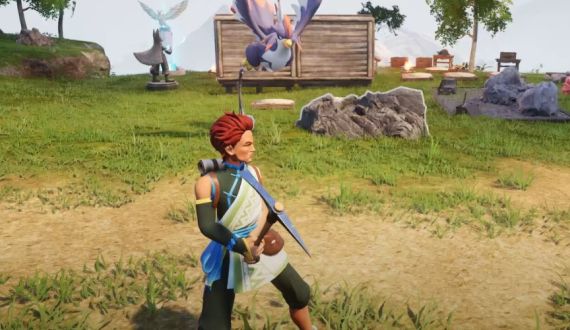
![Unite and Conquer: The Ultimate Guide to Joining a Guild in Palworld img]() Jan 28, 2024 Alison Harvard Unite and Conquer: The Ultimate Guide to Joining a Guild in Palworld Joining forces with like-minded adventurers in Palworld can greatly enhance your gaming experience. Whether you're seeking camaraderie, resources, or just a bit of fun, a guild can provide all that and more. Let's walk through the steps you need to take to find your very own guild in Palworld.
Step 1: Choose Your World Wisely
Before you can even think about guilds, you need to make sure you're in the right environment. When you start the game, opt for an open multiplayer world rather than a solo adventure. Being in a multiplayer world is key—it's where the social magic happens, allowing you to encounter other players and, ultimately, potential guildmates.
Step 2: Seek Out Potential Allies
Now, adventure forth and explore the vast lands of Palworld. Keep an eye out for other players; these are the individuals with whom you might be sharing future glories. Once you encounter a player, a prompt should appear when you're close enough, which will allow you to send a request to join their guild or invite them to yours.
Step 3: Make It Official
Once your request to join is out in the ether, wait for it to be accepted. Patience is key here—remember, the other player may be busy taming Pals or engaged in their own exploits. Once you're accepted, you'll have access to the guild menu, where you'll see a list of members and what activities you can all partake in together.
Why Join a Guild in Palworld?
You might wonder what the buzz is all about when it comes to guilds. In Palworld, being in a guild has tangible benefits. First off, members can visit each other's bases with ease, perfect for when you need to regroup or plan your next big move. This ease of access fosters a strong sense of community and partnership.
Additionally, guild members enjoy the perk of sharing Pals. If someone in your guild has a particularly strong or useful Pal, you might just find it in your roster as well. This can be a game-changer when you're looking to expand your base or gather resources efficiently.
Beyond practicalities, a guild brings together players for a... Read More
Jan 28, 2024 Alison Harvard Unite and Conquer: The Ultimate Guide to Joining a Guild in Palworld Joining forces with like-minded adventurers in Palworld can greatly enhance your gaming experience. Whether you're seeking camaraderie, resources, or just a bit of fun, a guild can provide all that and more. Let's walk through the steps you need to take to find your very own guild in Palworld.
Step 1: Choose Your World Wisely
Before you can even think about guilds, you need to make sure you're in the right environment. When you start the game, opt for an open multiplayer world rather than a solo adventure. Being in a multiplayer world is key—it's where the social magic happens, allowing you to encounter other players and, ultimately, potential guildmates.
Step 2: Seek Out Potential Allies
Now, adventure forth and explore the vast lands of Palworld. Keep an eye out for other players; these are the individuals with whom you might be sharing future glories. Once you encounter a player, a prompt should appear when you're close enough, which will allow you to send a request to join their guild or invite them to yours.
Step 3: Make It Official
Once your request to join is out in the ether, wait for it to be accepted. Patience is key here—remember, the other player may be busy taming Pals or engaged in their own exploits. Once you're accepted, you'll have access to the guild menu, where you'll see a list of members and what activities you can all partake in together.
Why Join a Guild in Palworld?
You might wonder what the buzz is all about when it comes to guilds. In Palworld, being in a guild has tangible benefits. First off, members can visit each other's bases with ease, perfect for when you need to regroup or plan your next big move. This ease of access fosters a strong sense of community and partnership.
Additionally, guild members enjoy the perk of sharing Pals. If someone in your guild has a particularly strong or useful Pal, you might just find it in your roster as well. This can be a game-changer when you're looking to expand your base or gather resources efficiently.
Beyond practicalities, a guild brings together players for a... Read More ![Tips to Play Adventure Games img]() Dec 31, 2023 Alison Harvard Tips to Play Adventure Games Adventure games are a genre that immerses players in expansive worlds filled with puzzles, storylines, and characters, offering an escape from reality that few other game types can match. Whether you are a seasoned explorer of digital lands or a newcomer ready to embark on your first quest, the following tips will help you navigate the challenges and mysteries you’ll encounter in adventure games.
Understand the Game Mechanics
Before diving into the game's narrative, take some time to familiarize yourself with the basics. Every adventure game operates with its own set of rules and mechanics, which can include anything from movement controls to the way you interact with objects or characters.
Read the Manual: Many games come with a guide or manual. It's crucial to read it to understand the controls, game mechanics, and some hints about the puzzles you might face.
Tutorial Levels: If the game offers a tutorial, don't skip it. Tutorials are designed to teach you the game's mechanics without the pressure of the actual gameplay.
Pay Attention to the Story
Adventure games are often narrative-driven, with clues and solutions to challenges embedded in the storyline.
Dialogue: Listen to the dialogue between characters carefully. They can offer hints or information about your next steps.
Environment Clues: Pay attention to the descriptions and details within the environment, as they might hint toward solutions.
Explore Everything
Being thorough in your exploration is key in adventure games. All elements in your surroundings could be critical to your progress. Don't hesitate to explore beyond the familiar tracks—you might discover something unexpected.
Interactive Objects: Click on everything that looks interactive. Items that may seem inconsequential might have major roles to play in puzzle-solving or story progression.
Hidden Items: Look for hidden compartments, false bottoms, and secret rooms. Adventure games are known for hiding things in plain sight.
Puzzle Solving Strategies
Puzzles are the essence of adventure games, and solving them can be both immensely rewarding and incredibly challenging.
Take Notes: Keeping a notebook handy for jotting down clues and observations is invaluable. Sometimes the game demands remembering a sequence, code, or pattern.
Think Outside the Box: Try to think creatively. If you're stuck, consider unconventional ways to combine... Read More
Dec 31, 2023 Alison Harvard Tips to Play Adventure Games Adventure games are a genre that immerses players in expansive worlds filled with puzzles, storylines, and characters, offering an escape from reality that few other game types can match. Whether you are a seasoned explorer of digital lands or a newcomer ready to embark on your first quest, the following tips will help you navigate the challenges and mysteries you’ll encounter in adventure games.
Understand the Game Mechanics
Before diving into the game's narrative, take some time to familiarize yourself with the basics. Every adventure game operates with its own set of rules and mechanics, which can include anything from movement controls to the way you interact with objects or characters.
Read the Manual: Many games come with a guide or manual. It's crucial to read it to understand the controls, game mechanics, and some hints about the puzzles you might face.
Tutorial Levels: If the game offers a tutorial, don't skip it. Tutorials are designed to teach you the game's mechanics without the pressure of the actual gameplay.
Pay Attention to the Story
Adventure games are often narrative-driven, with clues and solutions to challenges embedded in the storyline.
Dialogue: Listen to the dialogue between characters carefully. They can offer hints or information about your next steps.
Environment Clues: Pay attention to the descriptions and details within the environment, as they might hint toward solutions.
Explore Everything
Being thorough in your exploration is key in adventure games. All elements in your surroundings could be critical to your progress. Don't hesitate to explore beyond the familiar tracks—you might discover something unexpected.
Interactive Objects: Click on everything that looks interactive. Items that may seem inconsequential might have major roles to play in puzzle-solving or story progression.
Hidden Items: Look for hidden compartments, false bottoms, and secret rooms. Adventure games are known for hiding things in plain sight.
Puzzle Solving Strategies
Puzzles are the essence of adventure games, and solving them can be both immensely rewarding and incredibly challenging.
Take Notes: Keeping a notebook handy for jotting down clues and observations is invaluable. Sometimes the game demands remembering a sequence, code, or pattern.
Think Outside the Box: Try to think creatively. If you're stuck, consider unconventional ways to combine... Read More -
![Unleashing the Hidden Gems: 7 Underappreciated Dinosaurs in ARK: Survival Ascended img]() Dec 02, 2023 Benjamin Carter Unleashing the Hidden Gems: 7 Underappreciated Dinosaurs in ARK: Survival Ascended In the expansive and often unforgiving world of ARK: Survival Ascended, survival hinges on the backs of the prehistoric creatures we tame and command. While many players gravitate towards the colossal powerhouses like the Rex or the utility of flying mounts such as the Argentavis, there exists a cohort of dinosaurs that boast quirky and distinctive abilities that can greatly enhance gameplay. These creatures, though less celebrated, offer a treasure trove of unique mechanics that can add depth and excitement to your ARK experience. Let's delve into the hidden potential of these seven underappreciated dinosaurs and discover how their distinctive talents can be harnessed to your advantage.
The Flightless Flier: The Enigmatic Terror Bird
The Terror Bird, with its comically small wings and powerful legs, encapsulates the essence of ARK's unexpected twists on prehistoric creatures. Despite its inability to achieve true flight, the Terror Bird's gliding prowess allows it to navigate treacherous terrain effortlessly, making it an ideal companion for spelunking and cliffside adventures. This bird's agility and respectable stats make it a solid choice for an early-game mount, offering a delightful alternative to the common Raptor. Its ease of taming and saddle accessibility means that embracing the peculiar charm of the Terror Bird can add an entertaining dynamic to your early explorations.
The Gentle Giant with a Pheromone Twist: Pachyrhinosaurus
Don't let the Pachyrhinosaurus' benign appearance fool you; this creature is a master of chemical warfare. Its unique ability to emit calming or enraging pheromones grants players a measure of control over the surrounding wildlife, opening up creative strategies for passive taming or chaotic diversions. The Pachyrhinosaurus can be the cornerstone of a well-planned taming expedition or a tactical piece in the complex chessboard of PvP combat. With its robust defensive attributes, this dinosaur is a multifaceted ally that deserves a second glance.
The Versatile Siege Engine: Chalicotherium
The Chalicotherium stands out with its bizarre appearance and even more peculiar taming method - the offering of an alcoholic beverage. Once part of your menagerie, the Chalicotherium serves as a living artillery piece, hurling projectiles at foes with surprising accuracy. This feature transforms it into an invaluable base defender with the ability to repel attackers from a distance. In PvP scenarios, the Chalicotherium's rock-throwing antics can wreak havoc on enemy fortifications, providing a unique form of offensive capability that can catch opponents off guard.
The Prehistoric Parachute: Archaeopteryx
The diminutive Archaeopteryx may not stand out in a crowd of larger, more intimidating dinosaurs, but its utility as a personal glider is second to none. This pint-sized pterosaur can grant survivors a measure of aerial mobility, allowing for a controlled descent from great heights or a strategic retreat from aerial engagements. The Archaeopteryx is an asset for any explorer...
Dec 02, 2023 Benjamin Carter Unleashing the Hidden Gems: 7 Underappreciated Dinosaurs in ARK: Survival Ascended In the expansive and often unforgiving world of ARK: Survival Ascended, survival hinges on the backs of the prehistoric creatures we tame and command. While many players gravitate towards the colossal powerhouses like the Rex or the utility of flying mounts such as the Argentavis, there exists a cohort of dinosaurs that boast quirky and distinctive abilities that can greatly enhance gameplay. These creatures, though less celebrated, offer a treasure trove of unique mechanics that can add depth and excitement to your ARK experience. Let's delve into the hidden potential of these seven underappreciated dinosaurs and discover how their distinctive talents can be harnessed to your advantage.
The Flightless Flier: The Enigmatic Terror Bird
The Terror Bird, with its comically small wings and powerful legs, encapsulates the essence of ARK's unexpected twists on prehistoric creatures. Despite its inability to achieve true flight, the Terror Bird's gliding prowess allows it to navigate treacherous terrain effortlessly, making it an ideal companion for spelunking and cliffside adventures. This bird's agility and respectable stats make it a solid choice for an early-game mount, offering a delightful alternative to the common Raptor. Its ease of taming and saddle accessibility means that embracing the peculiar charm of the Terror Bird can add an entertaining dynamic to your early explorations.
The Gentle Giant with a Pheromone Twist: Pachyrhinosaurus
Don't let the Pachyrhinosaurus' benign appearance fool you; this creature is a master of chemical warfare. Its unique ability to emit calming or enraging pheromones grants players a measure of control over the surrounding wildlife, opening up creative strategies for passive taming or chaotic diversions. The Pachyrhinosaurus can be the cornerstone of a well-planned taming expedition or a tactical piece in the complex chessboard of PvP combat. With its robust defensive attributes, this dinosaur is a multifaceted ally that deserves a second glance.
The Versatile Siege Engine: Chalicotherium
The Chalicotherium stands out with its bizarre appearance and even more peculiar taming method - the offering of an alcoholic beverage. Once part of your menagerie, the Chalicotherium serves as a living artillery piece, hurling projectiles at foes with surprising accuracy. This feature transforms it into an invaluable base defender with the ability to repel attackers from a distance. In PvP scenarios, the Chalicotherium's rock-throwing antics can wreak havoc on enemy fortifications, providing a unique form of offensive capability that can catch opponents off guard.
The Prehistoric Parachute: Archaeopteryx
The diminutive Archaeopteryx may not stand out in a crowd of larger, more intimidating dinosaurs, but its utility as a personal glider is second to none. This pint-sized pterosaur can grant survivors a measure of aerial mobility, allowing for a controlled descent from great heights or a strategic retreat from aerial engagements. The Archaeopteryx is an asset for any explorer... -
![Unlocking Your Marvel Snap: A Step-by-Step Guide to Accessing Your Season Recap img]() Oct 12, 2023 Benjamin Carter Unlocking Your Marvel Snap: A Step-by-Step Guide to Accessing Your Season Recap Marvel Snap is a popular game that offers a wealth of statistics and information about your gameplay. One such feature is the Season Recap, which gives a comprehensive summary of your performance in the past season. Not sure how to access it? Don't worry! Here's a detailed guide to help you unlock your Season Recap and enable you to analyze your game's progress.
Step 1: Visit the Marvel Snap Official Website
The first step to access your Season Recap is to visit the official Marvel Snap website. This is where you'll find the Battle Recap page, which houses all the information you need about your past season's performance.
Step 2: Log into Your Account
Once you're on the Battle Recap page, you'll need to log into your account. This ensures that the stats you're seeing are specifically tailored to your gameplay. To do this, simply enter your account credentials in the provided fields.
Step 3: Access Your Battle Stats
After logging into your account, you'll be presented with a list of match stats from the previous season. This will include things like the Most Played Card, the Mascot Card, the Most Effective Card, the Lucky Location, and the Most Visited Location. Each of these stats offers a unique insight into your performance and can help you strategize for the upcoming season.
Step 4: Check Your Inbox for the "Monthly Stats Recap!" Message
An alternative way to access your Season Recap is through the in-game inbox. Look for a message titled "Monthly Stats Recap!" This message contains a link that will take you straight to your Battle Recap page on the official website.
Step 5: Share Your Season Recap on Social Media
As an added bonus, if you share your Battle Recap Stats on social media, you can earn up to 100 Credits. After posting your stats and restarting the game, these credits will be automatically added to your account. It's a great way to show off your achievements and earn some extra rewards at the same time!
Remember, the Season Recap for each season becomes available after the season ends, usually on the first Monday of the following month. So, keep an eye out for the end of the current season to unlock your recap for that season.
That's it! Now you know how to access your Marvel Snap Season Recap. With these stats, you can better understand your gameplay and make necessary adjustments to improve your performance in the future. So, what are you waiting for? Head over to the Marvel Snap website and start analyzing your performance today!
Oct 12, 2023 Benjamin Carter Unlocking Your Marvel Snap: A Step-by-Step Guide to Accessing Your Season Recap Marvel Snap is a popular game that offers a wealth of statistics and information about your gameplay. One such feature is the Season Recap, which gives a comprehensive summary of your performance in the past season. Not sure how to access it? Don't worry! Here's a detailed guide to help you unlock your Season Recap and enable you to analyze your game's progress.
Step 1: Visit the Marvel Snap Official Website
The first step to access your Season Recap is to visit the official Marvel Snap website. This is where you'll find the Battle Recap page, which houses all the information you need about your past season's performance.
Step 2: Log into Your Account
Once you're on the Battle Recap page, you'll need to log into your account. This ensures that the stats you're seeing are specifically tailored to your gameplay. To do this, simply enter your account credentials in the provided fields.
Step 3: Access Your Battle Stats
After logging into your account, you'll be presented with a list of match stats from the previous season. This will include things like the Most Played Card, the Mascot Card, the Most Effective Card, the Lucky Location, and the Most Visited Location. Each of these stats offers a unique insight into your performance and can help you strategize for the upcoming season.
Step 4: Check Your Inbox for the "Monthly Stats Recap!" Message
An alternative way to access your Season Recap is through the in-game inbox. Look for a message titled "Monthly Stats Recap!" This message contains a link that will take you straight to your Battle Recap page on the official website.
Step 5: Share Your Season Recap on Social Media
As an added bonus, if you share your Battle Recap Stats on social media, you can earn up to 100 Credits. After posting your stats and restarting the game, these credits will be automatically added to your account. It's a great way to show off your achievements and earn some extra rewards at the same time!
Remember, the Season Recap for each season becomes available after the season ends, usually on the first Monday of the following month. So, keep an eye out for the end of the current season to unlock your recap for that season.
That's it! Now you know how to access your Marvel Snap Season Recap. With these stats, you can better understand your gameplay and make necessary adjustments to improve your performance in the future. So, what are you waiting for? Head over to the Marvel Snap website and start analyzing your performance today! -
![Exploring San Myshuno: The Sims 4 City Living Festivals Reviewed img]() Sep 14, 2023 Alison Harvard Exploring San Myshuno: The Sims 4 City Living Festivals Reviewed In "The Sims 4: City Living," your sims are thrown into the cultural tapestry of vibrant city life in San Myshuno. From culinary feasts to themed conventions, the city is brimming with community spirit and tradition, best encapsulated by its five unique festivals. Embark on a fascinating exploration of these citywide celebrations and discover their unique charms and broad entertainment appeal.
The Spice Festival: A Culinary Adventure
The Spice Festival is a sensory exploration that transports your sims to the Spice Market district. This festival, scheduled based on two randomly assigned timetables, operates between 5 PM and 1 AM. Sims can indulge in a gastronomical journey through a variety of spicy dishes from all over the world, including curry and burritos. This festival thrives as a vibrant cultural melting pot, albeit one with a potentially limited appeal. While food lovers might find the spice-packed experiences enticing, the lack of diverse activities could limit its general appeal.
The Flea Market: A Treasure Trove
On Sundays, the Spice Market district transforms into a bustling Flea Market. Here, sims can haggle their way to incredible discounts, turning other people's discardings into their newfound treasures. While it provides a more diverse range of activities compared to the Spice Festival, it still caters to a more niche audience. Nevertheless, sims on a budget or those on quests like Rags-To-Riches will find this festival an advantageous treasure hunt.
The Romance Festival: A Celebration of Love
The Romance Festival celebrates love and companionship, making it the ideal location for sims looking for a romantic connection or a memorable first date. While generally engaging and full of activities, it may not appeal to all players, especially if the Romance Guru foretells an unfavorable outcome for the sims' relationships.
The Humor & Hijinks Festival: A Delight for Comedians
The Humor & Hijinks Festival welcomes all sims to embrace their silly side in an evening of friendly competition that is both enjoyable and lucrative. The festival is a perfect occasion for summer holiday celebrations, offering a slew of rewards and encouraging friendly rivalries.
GeekCon: A Gaming Paradise
In the heart of the action is the thrilling GeekCon, a festival that offers a treat for gaming enthusiasts. At GeekCon, sims can indulge in their passion, compete for rewards, and engage with fellow gaming enthusiasts. Offering a mix of activities that appeal to a wide range of players, this festival is arguably the jewel in the crown of San Myshuno's festival scene.
In conclusion, The Sims 4: City Living offers a dazzling array of festivals, each with its unique charm and appeal. Whether you're a foodie, a bargain hunter, a hopeless romantic, a competitive gamer, or a fan of slapstick humor, there's a festival in San Myshuno that is sure to captivate you.
Sep 14, 2023 Alison Harvard Exploring San Myshuno: The Sims 4 City Living Festivals Reviewed In "The Sims 4: City Living," your sims are thrown into the cultural tapestry of vibrant city life in San Myshuno. From culinary feasts to themed conventions, the city is brimming with community spirit and tradition, best encapsulated by its five unique festivals. Embark on a fascinating exploration of these citywide celebrations and discover their unique charms and broad entertainment appeal.
The Spice Festival: A Culinary Adventure
The Spice Festival is a sensory exploration that transports your sims to the Spice Market district. This festival, scheduled based on two randomly assigned timetables, operates between 5 PM and 1 AM. Sims can indulge in a gastronomical journey through a variety of spicy dishes from all over the world, including curry and burritos. This festival thrives as a vibrant cultural melting pot, albeit one with a potentially limited appeal. While food lovers might find the spice-packed experiences enticing, the lack of diverse activities could limit its general appeal.
The Flea Market: A Treasure Trove
On Sundays, the Spice Market district transforms into a bustling Flea Market. Here, sims can haggle their way to incredible discounts, turning other people's discardings into their newfound treasures. While it provides a more diverse range of activities compared to the Spice Festival, it still caters to a more niche audience. Nevertheless, sims on a budget or those on quests like Rags-To-Riches will find this festival an advantageous treasure hunt.
The Romance Festival: A Celebration of Love
The Romance Festival celebrates love and companionship, making it the ideal location for sims looking for a romantic connection or a memorable first date. While generally engaging and full of activities, it may not appeal to all players, especially if the Romance Guru foretells an unfavorable outcome for the sims' relationships.
The Humor & Hijinks Festival: A Delight for Comedians
The Humor & Hijinks Festival welcomes all sims to embrace their silly side in an evening of friendly competition that is both enjoyable and lucrative. The festival is a perfect occasion for summer holiday celebrations, offering a slew of rewards and encouraging friendly rivalries.
GeekCon: A Gaming Paradise
In the heart of the action is the thrilling GeekCon, a festival that offers a treat for gaming enthusiasts. At GeekCon, sims can indulge in their passion, compete for rewards, and engage with fellow gaming enthusiasts. Offering a mix of activities that appeal to a wide range of players, this festival is arguably the jewel in the crown of San Myshuno's festival scene.
In conclusion, The Sims 4: City Living offers a dazzling array of festivals, each with its unique charm and appeal. Whether you're a foodie, a bargain hunter, a hopeless romantic, a competitive gamer, or a fan of slapstick humor, there's a festival in San Myshuno that is sure to captivate you. -
![Unlocking the Secrets of Profit-Making: Free Mobile App Monetization Strategies img]() Aug 19, 2023 Benjamin Carter Unlocking the Secrets of Profit-Making: Free Mobile App Monetization Strategies It's an undeniable fact that we live in a digital era where our lives are intertwined with technology, especially mobile apps. App stores are teeming with millions of free apps, offering a broad spectrum of services, entertainment, and utilities.
Despite being free, these apps often serve as a lucrative source of income for developers. You might be wondering how this works; the answer lies in the various monetization strategies employed by these free apps. This article will cast light on the different methods that developers use to convert their free mobile apps into gold mines.
Advertisement: The Prime Monetization Strategy
The most prevalent monetization strategy implemented by free mobile apps is in-app advertising. In this model, app developers generate revenue by displaying third-party advertisements within their app. The advertisements can take various forms, such as banner ads, interstitial ads, video ads, or native ads. The revenue is usually calculated based on clicks, impressions, or installs.
Although in-app advertising can be a steady income source, it requires a significant number of active users to be profitable. Furthermore, excessive or intrusive advertisements can harm the user experience and lead to app uninstallation. Therefore, it's crucial for developers to strike a balance between monetization and user experience when using this strategy.
Freemium: The Balance Between Free and Premium
Another popular monetization strategy is the freemium model, which offers basic features for free while charging for premium features or content. The freemium model is commonly employed in games, productivity apps, and music or video streaming apps. Users are given access to the basic app for free, but they need to pay to unlock advanced features, remove ads, or access exclusive content.
This model can effectively drive revenue if the premium features offer significant value that entices users to upgrade. However, developers must ensure that the free version is functional and engaging enough to retain users and motivate them to consider upgrading.
In-app Purchases: The Direct Revenue Stream
In-app purchases are another common way free apps make money. This strategy involves selling virtual or physical goods within the app. These purchases can include game currency, extra lives or levels in games, premium content, or subscription services. In-app purchases can be a highly effective monetization strategy, particularly for gaming apps. However, this model relies heavily on the app's ability to engage users and drive them to make purchases. Additionally, developers need to be aware of the commission fees that app stores charge on in-app purchases, which can impact their revenue.
Partnerships and Sponsorships: The Collaborative Approach
Last but not least, partnerships and sponsorships can serve as a viable monetization strategy for free mobile apps. This approach involves collaborating with other businesses for mutual benefit. For instance, an app could partner with a company to offer users exclusive...
Aug 19, 2023 Benjamin Carter Unlocking the Secrets of Profit-Making: Free Mobile App Monetization Strategies It's an undeniable fact that we live in a digital era where our lives are intertwined with technology, especially mobile apps. App stores are teeming with millions of free apps, offering a broad spectrum of services, entertainment, and utilities.
Despite being free, these apps often serve as a lucrative source of income for developers. You might be wondering how this works; the answer lies in the various monetization strategies employed by these free apps. This article will cast light on the different methods that developers use to convert their free mobile apps into gold mines.
Advertisement: The Prime Monetization Strategy
The most prevalent monetization strategy implemented by free mobile apps is in-app advertising. In this model, app developers generate revenue by displaying third-party advertisements within their app. The advertisements can take various forms, such as banner ads, interstitial ads, video ads, or native ads. The revenue is usually calculated based on clicks, impressions, or installs.
Although in-app advertising can be a steady income source, it requires a significant number of active users to be profitable. Furthermore, excessive or intrusive advertisements can harm the user experience and lead to app uninstallation. Therefore, it's crucial for developers to strike a balance between monetization and user experience when using this strategy.
Freemium: The Balance Between Free and Premium
Another popular monetization strategy is the freemium model, which offers basic features for free while charging for premium features or content. The freemium model is commonly employed in games, productivity apps, and music or video streaming apps. Users are given access to the basic app for free, but they need to pay to unlock advanced features, remove ads, or access exclusive content.
This model can effectively drive revenue if the premium features offer significant value that entices users to upgrade. However, developers must ensure that the free version is functional and engaging enough to retain users and motivate them to consider upgrading.
In-app Purchases: The Direct Revenue Stream
In-app purchases are another common way free apps make money. This strategy involves selling virtual or physical goods within the app. These purchases can include game currency, extra lives or levels in games, premium content, or subscription services. In-app purchases can be a highly effective monetization strategy, particularly for gaming apps. However, this model relies heavily on the app's ability to engage users and drive them to make purchases. Additionally, developers need to be aware of the commission fees that app stores charge on in-app purchases, which can impact their revenue.
Partnerships and Sponsorships: The Collaborative Approach
Last but not least, partnerships and sponsorships can serve as a viable monetization strategy for free mobile apps. This approach involves collaborating with other businesses for mutual benefit. For instance, an app could partner with a company to offer users exclusive... -
![Unraveling Frequencies: Top Characters in Oxenfree 2: Lost Signals img]() Jul 15, 2023 Benjamin Carter Unraveling Frequencies: Top Characters in Oxenfree 2: Lost Signals The enthralling story of Oxenfree 2: Lost Signals unfolds through a group of charming characters, each adding layers of complexity and fascination to the plot. Each character, with their distinct personality traits and backgrounds, creates a distinct footprint in this supernatural adventure game. This article counts down the best characters from the game, casting light on what makes each one remarkable.
1. Maggie Adler: Keeper of The Enigma
Maggie Adler's influence resonates throughout the game despite her absence physically. As a central figure to the game's plot, her past, research, and secrets unfold many layers, pulling players deeper into the mystery. Maggie's character engenders intrigue and keeps the plot taut, making her an unforgettable part of Oxenfree 2.
2. Alex: The Protagonist with Dark Past
A returning character from the first game, Alex is a protagonist beset by her complex past. Her struggle to come to terms with her dark history while investigating the mysterious signals carves her an emotionally resonant character arc. Her resilience in dealing with challenging circumstances is inspiring, making her one of the game's most endearing characters.
3. Olivia: The Audacious Xeno-Geologist
Olivia is a fearless Xeno-Geologist who doesn't shy away from delving deep into the unknown. Her curious nature and dogged determination make her an invaluable character in unfolding the game's mysteries. Her audacious exploration and scientific insight keep the game's plot moving and players on their toes.
4. Jacob: The Heart of the Story
Jacob is the heart and soul of Oxenfree 2. His character starts as a simple man, only to evolve into a more complex personality. His emotional conflicts and personal struggles add layers to the storyline, making him an engaging character who resonates with the players on an emotional level.
5. Charlie: The Budding Inventor
Charlie's character shines as an ingenious young inventor. His inventive spirit and zest to see his inventions aid the investigation form the backbone of his character. His quirks and passion for innovation infuse a sense of fascination and enthusiasm into the game.
6. Rex: The Unruly Spirit
Rex is involved in some of the game's most dramatic moments. His strong and unruly spirit steals many scenes, making for some of the most engaging sequences in the game. His rebellious character significantly deepens the storyline's dimensions.
7. Riley: The Sidekick with a Heart
Riley is Alex's faithful companion. Her gentle nature and unwavering support make her a beloved character among players. Her ability to empathize and provide support during challenging times renders her character indispensable.
8. Evelyn: The Elder with Wisdom
Evelyn is an elder character whose wisdom and insight guide the protagonists in their perilous journey. Her sage advice and astute observations provide moments of clarity in a game steeped in mystery.
These wonderful characters form the beating heart of Oxenfree 2: Lost...
Jul 15, 2023 Benjamin Carter Unraveling Frequencies: Top Characters in Oxenfree 2: Lost Signals The enthralling story of Oxenfree 2: Lost Signals unfolds through a group of charming characters, each adding layers of complexity and fascination to the plot. Each character, with their distinct personality traits and backgrounds, creates a distinct footprint in this supernatural adventure game. This article counts down the best characters from the game, casting light on what makes each one remarkable.
1. Maggie Adler: Keeper of The Enigma
Maggie Adler's influence resonates throughout the game despite her absence physically. As a central figure to the game's plot, her past, research, and secrets unfold many layers, pulling players deeper into the mystery. Maggie's character engenders intrigue and keeps the plot taut, making her an unforgettable part of Oxenfree 2.
2. Alex: The Protagonist with Dark Past
A returning character from the first game, Alex is a protagonist beset by her complex past. Her struggle to come to terms with her dark history while investigating the mysterious signals carves her an emotionally resonant character arc. Her resilience in dealing with challenging circumstances is inspiring, making her one of the game's most endearing characters.
3. Olivia: The Audacious Xeno-Geologist
Olivia is a fearless Xeno-Geologist who doesn't shy away from delving deep into the unknown. Her curious nature and dogged determination make her an invaluable character in unfolding the game's mysteries. Her audacious exploration and scientific insight keep the game's plot moving and players on their toes.
4. Jacob: The Heart of the Story
Jacob is the heart and soul of Oxenfree 2. His character starts as a simple man, only to evolve into a more complex personality. His emotional conflicts and personal struggles add layers to the storyline, making him an engaging character who resonates with the players on an emotional level.
5. Charlie: The Budding Inventor
Charlie's character shines as an ingenious young inventor. His inventive spirit and zest to see his inventions aid the investigation form the backbone of his character. His quirks and passion for innovation infuse a sense of fascination and enthusiasm into the game.
6. Rex: The Unruly Spirit
Rex is involved in some of the game's most dramatic moments. His strong and unruly spirit steals many scenes, making for some of the most engaging sequences in the game. His rebellious character significantly deepens the storyline's dimensions.
7. Riley: The Sidekick with a Heart
Riley is Alex's faithful companion. Her gentle nature and unwavering support make her a beloved character among players. Her ability to empathize and provide support during challenging times renders her character indispensable.
8. Evelyn: The Elder with Wisdom
Evelyn is an elder character whose wisdom and insight guide the protagonists in their perilous journey. Her sage advice and astute observations provide moments of clarity in a game steeped in mystery.
These wonderful characters form the beating heart of Oxenfree 2: Lost... -
![Effortlessly Share Your Threads Posts on Twitter: A Step-by-Step Guide img]() Jul 11, 2023 Benjamin Carter Effortlessly Share Your Threads Posts on Twitter: A Step-by-Step Guide The digital world is a battleground for the most innovative and user-friendly platforms. In the latest twist, Meta's new Threads app has quickly surpassed a 100 million downloads milestone, a feat achieved in just five days. This new microblogging platform is growing rapidly, much to the apparent concern of rival Twitter, which seems worried about losing users to Threads. Twitter has retaliated by blocking Threads links on its platform but has not prohibited users from exploring the new app. Currently, Threads is available on the App Store and Google Play Store. A desktop version is yet to be announced. However, in an interesting twist, the Threads app allows users to directly share posts on Twitter. This is a practical guide to help you share Threads posts on Twitter with ease.
The Rising Popularity of Meta's Threads App
While Threads still has some work to do to compete with Twitter's established user base, the app is showing promising signs of growth. Meta has announced plans for a slew of new features that will enhance user experience and make the app more attractive to both current and potential users. Threads is working towards better integration with Instagram and also developing features to improve search and feed functions. For those using Twitter and Threads simultaneously, Threads offers the convenient option to share posts directly on Twitter.
Getting Started: Sharing Threads Posts on Twitter
To share Threads posts on Twitter, you need to have an account on Twitter. The good news is that you can share any post from Threads on Twitter, not just your own. Furthermore, the process is the same on both iPhone and Android devices. Here are the simple steps to follow: First, launch the Threads app on your device. Next, navigate to the Thread post you wish to share on Twitter. Tap on the Share button, and then select the Tweet option. You will be automatically redirected to Twitter with the complete contents of your selected Thread post. All that's left to do is tap on Tweet.
Understanding the Threads-Twitter Dynamic
The ongoing tussle between Twitter and Meta's Threads app is intriguing. While Twitter is blocking Threads links on its platform, Threads is making it easy for users to share posts directly on Twitter. This dynamic promises to evolve and it is likely that we will see additional developments on this front. As the digital world continues to evolve, users can look forward to more features and functionalities that make content creation and sharing easier and more efficient.
Sharing Threads posts on Twitter is a straightforward process, requiring no third-party apps. This guide has provided a step-by-step walkthrough to help you effortlessly share your Threads posts on Twitter. In the constantly changing digital landscape, it's important to...
Jul 11, 2023 Benjamin Carter Effortlessly Share Your Threads Posts on Twitter: A Step-by-Step Guide The digital world is a battleground for the most innovative and user-friendly platforms. In the latest twist, Meta's new Threads app has quickly surpassed a 100 million downloads milestone, a feat achieved in just five days. This new microblogging platform is growing rapidly, much to the apparent concern of rival Twitter, which seems worried about losing users to Threads. Twitter has retaliated by blocking Threads links on its platform but has not prohibited users from exploring the new app. Currently, Threads is available on the App Store and Google Play Store. A desktop version is yet to be announced. However, in an interesting twist, the Threads app allows users to directly share posts on Twitter. This is a practical guide to help you share Threads posts on Twitter with ease.
The Rising Popularity of Meta's Threads App
While Threads still has some work to do to compete with Twitter's established user base, the app is showing promising signs of growth. Meta has announced plans for a slew of new features that will enhance user experience and make the app more attractive to both current and potential users. Threads is working towards better integration with Instagram and also developing features to improve search and feed functions. For those using Twitter and Threads simultaneously, Threads offers the convenient option to share posts directly on Twitter.
Getting Started: Sharing Threads Posts on Twitter
To share Threads posts on Twitter, you need to have an account on Twitter. The good news is that you can share any post from Threads on Twitter, not just your own. Furthermore, the process is the same on both iPhone and Android devices. Here are the simple steps to follow: First, launch the Threads app on your device. Next, navigate to the Thread post you wish to share on Twitter. Tap on the Share button, and then select the Tweet option. You will be automatically redirected to Twitter with the complete contents of your selected Thread post. All that's left to do is tap on Tweet.
Understanding the Threads-Twitter Dynamic
The ongoing tussle between Twitter and Meta's Threads app is intriguing. While Twitter is blocking Threads links on its platform, Threads is making it easy for users to share posts directly on Twitter. This dynamic promises to evolve and it is likely that we will see additional developments on this front. As the digital world continues to evolve, users can look forward to more features and functionalities that make content creation and sharing easier and more efficient.
Sharing Threads posts on Twitter is a straightforward process, requiring no third-party apps. This guide has provided a step-by-step walkthrough to help you effortlessly share your Threads posts on Twitter. In the constantly changing digital landscape, it's important to... -
![Unveiling The Majestic Journey: Disney Dreamlight Valley's "The Heart Of A Lioness" Walkthrough (Nala Friendship Quest) img]() Jun 26, 2023 Alison Harvard Unveiling The Majestic Journey: Disney Dreamlight Valley's "The Heart Of A Lioness" Walkthrough (Nala Friendship Quest) Disney Dreamlight Valley unfurls an exciting chapter in its gameplay with the introduction of the fan-favorite characters, Simba and Nala, from the classic Disney movie, The Lion King. Pride Rock, their majestic home, is also a grand addition to the valley. Each of these royal lions is engaged in a fascinating quest series, with the focus here being on Nala's intriguing voyage, the quest titled "The Heart of a Lioness." This article will guide players on how to explore it right from initiation to conclusion.
Starting “The Heart Of A Lioness”
Nala's adventure, "The Heart of a Lioness" quest, is unlocked once a player reaches Friendship Level 7 with Nala. This quest unravels Nala's probe into peculiar happenings in the valley, involving mysterious portals, fishes, and, more importantly, her own role in the valley. To start this quest, players must first finish Nala's previous Friendship quest, "Fishy Business," which is accessible at Friendship Level 4.
Completing “The Heart Of A Lioness”
In the quest, Nala voices her worries about the weird rifts appearing above the valley's rivers and lakes. These rifts, apart from being strange, are also leading to the proliferation of peculiar invasive fish, which make it tough for the villagers to get the fish they need. The tasks to complete the quest “The Heart of a Lioness” have been outlined here:
Catching Fish for Moana, Remy, and Donald
Nala wants players to assist villagers in catching specific fish that have been hard to reel in due to the rifts. She asks the player to catch a Swordfish for Moana, 2 Crabs for Remy, and 3 Tuna for Donald, each found in specific locations across the valley. After catching the required fish, players need to deliver them to the respective villagers and then return to Nala.
Investigating Wall Markings in Pride Rock
In the same quest, Nala highlights mysterious markings on the wall inside Pride Rock. She suspects these markings hold some message and solicits the player's help in studying them. After interacting with the paw prints on the wall at the back of the cave, a Memory Orb appears. The orb uncovers a memory illustrating three lion statues connected with the previous quest, "Fishy Business." Nala deduces the lion statues require hearts and puts forth the task of crafting three Enchanted Hearts.
Crafting 3 Enchanted Hearts
To create the Enchanted Hearts, players need to catch three Weird Fish found near the Mystical Rifts and gather nine Dream Shards. After obtaining these, they should visit Minnie Mouse, who gives them her beloved red spotted bow. Using these materials, players can then craft the Enchanted Hearts at any crafting station. After their creation, players should return to Nala and gift her the hearts. This marks the completion of the Heart...
Jun 26, 2023 Alison Harvard Unveiling The Majestic Journey: Disney Dreamlight Valley's "The Heart Of A Lioness" Walkthrough (Nala Friendship Quest) Disney Dreamlight Valley unfurls an exciting chapter in its gameplay with the introduction of the fan-favorite characters, Simba and Nala, from the classic Disney movie, The Lion King. Pride Rock, their majestic home, is also a grand addition to the valley. Each of these royal lions is engaged in a fascinating quest series, with the focus here being on Nala's intriguing voyage, the quest titled "The Heart of a Lioness." This article will guide players on how to explore it right from initiation to conclusion.
Starting “The Heart Of A Lioness”
Nala's adventure, "The Heart of a Lioness" quest, is unlocked once a player reaches Friendship Level 7 with Nala. This quest unravels Nala's probe into peculiar happenings in the valley, involving mysterious portals, fishes, and, more importantly, her own role in the valley. To start this quest, players must first finish Nala's previous Friendship quest, "Fishy Business," which is accessible at Friendship Level 4.
Completing “The Heart Of A Lioness”
In the quest, Nala voices her worries about the weird rifts appearing above the valley's rivers and lakes. These rifts, apart from being strange, are also leading to the proliferation of peculiar invasive fish, which make it tough for the villagers to get the fish they need. The tasks to complete the quest “The Heart of a Lioness” have been outlined here:
Catching Fish for Moana, Remy, and Donald
Nala wants players to assist villagers in catching specific fish that have been hard to reel in due to the rifts. She asks the player to catch a Swordfish for Moana, 2 Crabs for Remy, and 3 Tuna for Donald, each found in specific locations across the valley. After catching the required fish, players need to deliver them to the respective villagers and then return to Nala.
Investigating Wall Markings in Pride Rock
In the same quest, Nala highlights mysterious markings on the wall inside Pride Rock. She suspects these markings hold some message and solicits the player's help in studying them. After interacting with the paw prints on the wall at the back of the cave, a Memory Orb appears. The orb uncovers a memory illustrating three lion statues connected with the previous quest, "Fishy Business." Nala deduces the lion statues require hearts and puts forth the task of crafting three Enchanted Hearts.
Crafting 3 Enchanted Hearts
To create the Enchanted Hearts, players need to catch three Weird Fish found near the Mystical Rifts and gather nine Dream Shards. After obtaining these, they should visit Minnie Mouse, who gives them her beloved red spotted bow. Using these materials, players can then craft the Enchanted Hearts at any crafting station. After their creation, players should return to Nala and gift her the hearts. This marks the completion of the Heart... -
![Unveiling the Secrets of Love: How to Romance the Grim Reaper in The Sims 4 img]() Jun 14, 2023 Benjamin Carter Unveiling the Secrets of Love: How to Romance the Grim Reaper in The Sims 4 The Sims 4 is a game that allows players to explore various aspects of life, including relationships and romance. While simulating the pursuit of love and passion can be entertaining, there's a particular challenge that many players find intriguing – romancing the mysterious Grim Reaper. If you're ready to take on this challenge, follow our step-by-step guide to win the heart of the enigmatic Grim Reaper in The Sims 4.
Step 1: Prepare for the Grim Reaper's Arrival
The Grim Reaper only appears when a Sim dies, so to encounter this elusive character, you need to have a Sim scheduled for their untimely demise. A popular method is to trap a less-favored Sim in an enclosed space, such as a room or a swimming pool, with no escape routes. Once the Sim's needs go unfulfilled, the Grim Reaper will appear to reap their unfortunate soul.
Step 2: Make Your Presence Known
As soon as the Grim Reaper appears, have your Sim ready to interact with him. To establish a connection, start by choosing friendly conversation topics under the "Friendly" interaction category. This will lay the foundation of a friendship and eventually open up options for romance. Keep in mind that the Grim Reaper will leave shortly after completing his task, so act quickly to engage him in conversation.
Tip: Improve your Sim's mood before initiating interaction
To increase the chance of successful interactions with the Grim Reaper, make sure your Sim is in a good mood. Use mood-enhancing interactions or items to keep your Sim happy, ensuring a higher likelihood of positive conversations with the elusive character.
Step 3: Build a Friendship and Spark Romance
As you continue interacting with the Grim Reaper, upgrade your conversation choices to romantic ones. Gradually engage in more romance-themed interactions, increasing the chemistry between your Sim and the Grim Reaper. These interactions will fill the Romance meter, deepening their emotional connection.
Step 4: Use Cheats to Add the Grim Reaper to Your Household
Unfortunately, the Grim Reaper cannot be added to your household or married off without utilizing cheats. To do this, first, activate cheats by opening the Cheat Console (Ctrl + Shift + C) and typing "testingcheats true." Next, shift-click on the Grim Reaper and select "Add to Family." Now that he has joined your household, click on the Grim Reaper icon in the bottom left corner of the screen and enter "traits.clear_traits" in the Cheat Console. This action removes the Grim Reaper's restrictions, enabling more interactive options.
Step 5: Ignite the Flames of Passion
With the Grim Reaper now a part of your Sim's family, you have free rein to explore the depths of their newfound relationship. Continue building their romantic connection by engaging in romantic interactions and even culminating in passionate WooHoo sessions....
Jun 14, 2023 Benjamin Carter Unveiling the Secrets of Love: How to Romance the Grim Reaper in The Sims 4 The Sims 4 is a game that allows players to explore various aspects of life, including relationships and romance. While simulating the pursuit of love and passion can be entertaining, there's a particular challenge that many players find intriguing – romancing the mysterious Grim Reaper. If you're ready to take on this challenge, follow our step-by-step guide to win the heart of the enigmatic Grim Reaper in The Sims 4.
Step 1: Prepare for the Grim Reaper's Arrival
The Grim Reaper only appears when a Sim dies, so to encounter this elusive character, you need to have a Sim scheduled for their untimely demise. A popular method is to trap a less-favored Sim in an enclosed space, such as a room or a swimming pool, with no escape routes. Once the Sim's needs go unfulfilled, the Grim Reaper will appear to reap their unfortunate soul.
Step 2: Make Your Presence Known
As soon as the Grim Reaper appears, have your Sim ready to interact with him. To establish a connection, start by choosing friendly conversation topics under the "Friendly" interaction category. This will lay the foundation of a friendship and eventually open up options for romance. Keep in mind that the Grim Reaper will leave shortly after completing his task, so act quickly to engage him in conversation.
Tip: Improve your Sim's mood before initiating interaction
To increase the chance of successful interactions with the Grim Reaper, make sure your Sim is in a good mood. Use mood-enhancing interactions or items to keep your Sim happy, ensuring a higher likelihood of positive conversations with the elusive character.
Step 3: Build a Friendship and Spark Romance
As you continue interacting with the Grim Reaper, upgrade your conversation choices to romantic ones. Gradually engage in more romance-themed interactions, increasing the chemistry between your Sim and the Grim Reaper. These interactions will fill the Romance meter, deepening their emotional connection.
Step 4: Use Cheats to Add the Grim Reaper to Your Household
Unfortunately, the Grim Reaper cannot be added to your household or married off without utilizing cheats. To do this, first, activate cheats by opening the Cheat Console (Ctrl + Shift + C) and typing "testingcheats true." Next, shift-click on the Grim Reaper and select "Add to Family." Now that he has joined your household, click on the Grim Reaper icon in the bottom left corner of the screen and enter "traits.clear_traits" in the Cheat Console. This action removes the Grim Reaper's restrictions, enabling more interactive options.
Step 5: Ignite the Flames of Passion
With the Grim Reaper now a part of your Sim's family, you have free rein to explore the depths of their newfound relationship. Continue building their romantic connection by engaging in romantic interactions and even culminating in passionate WooHoo sessions.... -
![Discover Your Perfect Redfall Character Match: Playstyle Analysis and Top Choices img]() Apr 27, 2023 Alison Harvard Discover Your Perfect Redfall Character Match: Playstyle Analysis and Top Choices Redfall, developed by Arkane Studios, breaks away from the single-player campaign pattern seen in their previous games like Dishonored, Deathloop, and Prey. Instead, Redfall presents a cooperative experience that requires players to choose one of the four main characters to accompany them on their journey. These characters boast distinct abilities and skill trees, ensuring that the gameplay evolves beyond mere cosmetic differences. This article will explore each of the four protagonists in the game, examining their unique abilities and playstyles to help players make the best choice for their ideal Redfall experience.
Master the Art of Stealth and Long-Range Combat with Jacob Boyer
Fans of Arkane's signature stealthy gameplay will find a natural fit with ex-military sharpshooter Jacob Boyer. Jacob's Cloak ability allows him to become invisible, facilitating sneaking past enemies or escaping dangerous situations. As players upgrade this skill, the duration of invisibility increases, and it can even grant invisibility to teammates. Jacob's raven companion provides excellent scouting opportunities, and his high-damage rifle has the potential to hit enemies through walls with the appropriate upgrades. Jacob's combination of stealth, survivability, and damage output makes him a solid choice for solo or team play.
Heal and Protect Your Team as Remi De La Rosa
For players who enjoy a more supportive role, Remi De La Rosa offers a fantastic foundation for team-oriented gameplay. Her robot companion Siren distracts enemies and absorbs damage, while her C4 charge deals substantial damage when needed. However, Remi's standout skill is her Mobilize ability, which creates a healing zone for teammates, making her invaluable in co-op. While this skill proves useful in solo play as well, its full potential truly shines in cooperative gameplay with others.
Control the Battlefield and Teleport with Devinder Crousley
If fast-paced, aggressive gameplay is more your style, consider selecting cryptozoologist Devinder Crousley. Dev's Beacon ability allows him to teleport around the battlefield, with teammates able to follow suit through his translocate terminal. His Arc Javelin and Blacklight attacks provide potent area-of-effect damage, making Dev an excellent choice for crowd control. With his ability to quickly dive in and out of combat, Devinder Crousley is perfect for those who thrive in the midst of chaos.
Utilize Speed and Unique Abilities with Layla Ellison
Layla Ellison's gameplay style caters to players who prefer a run-and-gun approach while benefiting their team. Layla can call upon her vampire ex-boyfriend as a backup in tight situations, as well as summon a psychic lift to launch herself, allies, or enemies skyward. Her Umbrella ability blocks incoming and outgoing attacks while also releasing a burst of psychic energy. Layla's skills not only aid her teammates but also provide her with the ability to swiftly dodge danger and control the battlefield with her unique set of...
Apr 27, 2023 Alison Harvard Discover Your Perfect Redfall Character Match: Playstyle Analysis and Top Choices Redfall, developed by Arkane Studios, breaks away from the single-player campaign pattern seen in their previous games like Dishonored, Deathloop, and Prey. Instead, Redfall presents a cooperative experience that requires players to choose one of the four main characters to accompany them on their journey. These characters boast distinct abilities and skill trees, ensuring that the gameplay evolves beyond mere cosmetic differences. This article will explore each of the four protagonists in the game, examining their unique abilities and playstyles to help players make the best choice for their ideal Redfall experience.
Master the Art of Stealth and Long-Range Combat with Jacob Boyer
Fans of Arkane's signature stealthy gameplay will find a natural fit with ex-military sharpshooter Jacob Boyer. Jacob's Cloak ability allows him to become invisible, facilitating sneaking past enemies or escaping dangerous situations. As players upgrade this skill, the duration of invisibility increases, and it can even grant invisibility to teammates. Jacob's raven companion provides excellent scouting opportunities, and his high-damage rifle has the potential to hit enemies through walls with the appropriate upgrades. Jacob's combination of stealth, survivability, and damage output makes him a solid choice for solo or team play.
Heal and Protect Your Team as Remi De La Rosa
For players who enjoy a more supportive role, Remi De La Rosa offers a fantastic foundation for team-oriented gameplay. Her robot companion Siren distracts enemies and absorbs damage, while her C4 charge deals substantial damage when needed. However, Remi's standout skill is her Mobilize ability, which creates a healing zone for teammates, making her invaluable in co-op. While this skill proves useful in solo play as well, its full potential truly shines in cooperative gameplay with others.
Control the Battlefield and Teleport with Devinder Crousley
If fast-paced, aggressive gameplay is more your style, consider selecting cryptozoologist Devinder Crousley. Dev's Beacon ability allows him to teleport around the battlefield, with teammates able to follow suit through his translocate terminal. His Arc Javelin and Blacklight attacks provide potent area-of-effect damage, making Dev an excellent choice for crowd control. With his ability to quickly dive in and out of combat, Devinder Crousley is perfect for those who thrive in the midst of chaos.
Utilize Speed and Unique Abilities with Layla Ellison
Layla Ellison's gameplay style caters to players who prefer a run-and-gun approach while benefiting their team. Layla can call upon her vampire ex-boyfriend as a backup in tight situations, as well as summon a psychic lift to launch herself, allies, or enemies skyward. Her Umbrella ability blocks incoming and outgoing attacks while also releasing a burst of psychic energy. Layla's skills not only aid her teammates but also provide her with the ability to swiftly dodge danger and control the battlefield with her unique set of... -
![Unlock Your Maximum Stardew Valley Potential With These Helpful Tips and Tricks img]() Feb 05, 2023 Alison Harvard Unlock Your Maximum Stardew Valley Potential With These Helpful Tips and Tricks Stardew Valley is a beloved video game that has taken the gaming community by storm. It's an open-ended country-life RPG that allows players to customize their character, build relationships with NPCs, explore a vast world, and embark on exciting adventures.
With so much to do, it can be hard to know where to start and how to get the most out of Stardew Valley. But with the right tips and tricks, you can unlock your maximum Stardew Valley potential, making the game even more enjoyable.
One of the most important tips for Stardew Valley is to manage your time and energy effectively. Stardew Valley is a game that rewards efficiency. You have a limited amount of energy to carry out your tasks each day, so it's important to prioritize your actions. Set goals for yourself each day and focus on completing them. Don't forget to take breaks and rest when you need to, but also make sure you're getting things done.
It's also important to pay attention to your character's stats. Stardew Valley has a variety of stats that can be increased and decreased depending on how you use them. For example, your Farming skill can be increased by planting crops, tilling the soil, and harvesting crops. Your Fishing skill can be increased by catching fish. Make sure you're keeping track of your stats and using them to their fullest potential.
Another important tip for Stardew Valley is to explore the world. There are a lot of hidden secrets waiting to be found if you take the time to explore the world. Look out for hidden caves, items, and NPCs. You never know what you might stumble upon. This can also help you find more resources and gain access to new areas.
Finally, don't forget to take advantage of the game's many features. Stardew Valley has a lot of features that can help you get the most out of your experience. Take advantage of the multiplayer option to play with your friends and compare progress.
Make use of the character customization options so you can create a unique character. Take advantage of the various mini-games and activities to keep your experience fresh.
Stardew Valley is an incredibly deep and rewarding game, and with the right tips and tricks, you can unlock your maximum Stardew Valley potential. Make sure to manage your time and energy effectively, pay attention to your character's stats, explore the world, and take advantage of the game's features. With these tips, you'll be on your way to becoming a master farmer in no time!
Feb 05, 2023 Alison Harvard Unlock Your Maximum Stardew Valley Potential With These Helpful Tips and Tricks Stardew Valley is a beloved video game that has taken the gaming community by storm. It's an open-ended country-life RPG that allows players to customize their character, build relationships with NPCs, explore a vast world, and embark on exciting adventures.
With so much to do, it can be hard to know where to start and how to get the most out of Stardew Valley. But with the right tips and tricks, you can unlock your maximum Stardew Valley potential, making the game even more enjoyable.
One of the most important tips for Stardew Valley is to manage your time and energy effectively. Stardew Valley is a game that rewards efficiency. You have a limited amount of energy to carry out your tasks each day, so it's important to prioritize your actions. Set goals for yourself each day and focus on completing them. Don't forget to take breaks and rest when you need to, but also make sure you're getting things done.
It's also important to pay attention to your character's stats. Stardew Valley has a variety of stats that can be increased and decreased depending on how you use them. For example, your Farming skill can be increased by planting crops, tilling the soil, and harvesting crops. Your Fishing skill can be increased by catching fish. Make sure you're keeping track of your stats and using them to their fullest potential.
Another important tip for Stardew Valley is to explore the world. There are a lot of hidden secrets waiting to be found if you take the time to explore the world. Look out for hidden caves, items, and NPCs. You never know what you might stumble upon. This can also help you find more resources and gain access to new areas.
Finally, don't forget to take advantage of the game's many features. Stardew Valley has a lot of features that can help you get the most out of your experience. Take advantage of the multiplayer option to play with your friends and compare progress.
Make use of the character customization options so you can create a unique character. Take advantage of the various mini-games and activities to keep your experience fresh.
Stardew Valley is an incredibly deep and rewarding game, and with the right tips and tricks, you can unlock your maximum Stardew Valley potential. Make sure to manage your time and energy effectively, pay attention to your character's stats, explore the world, and take advantage of the game's features. With these tips, you'll be on your way to becoming a master farmer in no time!