Blog
![Fortify Your Game: 8 Tips for Fortnite Dominance img]() Mar 11, 2024 Benjamin Carter Fortify Your Game: 8 Tips for Fortnite Dominance Fortnite, with its Battle Royale format, offers a thrilling challenge for gamers seeking that top spot. Perfecting your technique and staying a step ahead can be daunting, but we've distilled the wisdom you need into 8 essential tips for achieving that much-desired Victory Royale. Ready to up your game in Fortnite? Then, let's dive into the strategies that will sharpen your skills for the win.
Finding Your Footing: Prime Landing Zones
Touching down in the frenetic world of Fortnite requires a strategic approach. To ease into the chaos, selecting a quieter landing spot once you detach from the Battle Bus gives you the advantage of time. This precious time lets you gear up with weapons, amass ammo, and gather building materials, setting you up for success without the immediate pressure of combat. Aim for Points of Interest for a better loot pool, but keep your distance from the Battle Bus's trajectory to avoid early confrontations.
Mastering Construction: Building Your Way to the Top
In Fortnite, the ability to erect structures on the fly distinguishes it from the battle royale pack. Becoming proficient in crafting ramps for elevation or walls for defense can tip the odds in your favor. Start simple with protective cubes during critical healing moments. If you're not into building, Zero Build mode offers a different tactical experience to hone your ground combat skills.
Arsenal Assembly: Curating Your Loadout
The quest for weaponry is immediate upon the island's arrival. Variety is key; a well-rounded armory adapts to any threat. Tailor your loadout with an Assault Rifle for medium encounters, close-range SMGs or Shotguns, Sniper Rifles or Explosives for distance and destruction, and don't forget those life-saving healing items.
Weapon Enhancements: Modify to Magnify
Familiarity with weaponry fosters mastery, and modifying your favorite arms ensures you maintain your edge. Mod Benches across the island await, where Gold Bars from various lucrative tasks will boost your firepower. Fine-tuned weapons mean more efficient eliminations.
Sound Strategies: Attuning to Your Surroundings
The soundscape of Fortnite is not to be underestimated. Footsteps provide critical cues about the opponent's whereabouts. To fully capitalize on this auditory intelligence, consider using high-quality headphones for an immersive... Read More
Mar 11, 2024 Benjamin Carter Fortify Your Game: 8 Tips for Fortnite Dominance Fortnite, with its Battle Royale format, offers a thrilling challenge for gamers seeking that top spot. Perfecting your technique and staying a step ahead can be daunting, but we've distilled the wisdom you need into 8 essential tips for achieving that much-desired Victory Royale. Ready to up your game in Fortnite? Then, let's dive into the strategies that will sharpen your skills for the win.
Finding Your Footing: Prime Landing Zones
Touching down in the frenetic world of Fortnite requires a strategic approach. To ease into the chaos, selecting a quieter landing spot once you detach from the Battle Bus gives you the advantage of time. This precious time lets you gear up with weapons, amass ammo, and gather building materials, setting you up for success without the immediate pressure of combat. Aim for Points of Interest for a better loot pool, but keep your distance from the Battle Bus's trajectory to avoid early confrontations.
Mastering Construction: Building Your Way to the Top
In Fortnite, the ability to erect structures on the fly distinguishes it from the battle royale pack. Becoming proficient in crafting ramps for elevation or walls for defense can tip the odds in your favor. Start simple with protective cubes during critical healing moments. If you're not into building, Zero Build mode offers a different tactical experience to hone your ground combat skills.
Arsenal Assembly: Curating Your Loadout
The quest for weaponry is immediate upon the island's arrival. Variety is key; a well-rounded armory adapts to any threat. Tailor your loadout with an Assault Rifle for medium encounters, close-range SMGs or Shotguns, Sniper Rifles or Explosives for distance and destruction, and don't forget those life-saving healing items.
Weapon Enhancements: Modify to Magnify
Familiarity with weaponry fosters mastery, and modifying your favorite arms ensures you maintain your edge. Mod Benches across the island await, where Gold Bars from various lucrative tasks will boost your firepower. Fine-tuned weapons mean more efficient eliminations.
Sound Strategies: Attuning to Your Surroundings
The soundscape of Fortnite is not to be underestimated. Footsteps provide critical cues about the opponent's whereabouts. To fully capitalize on this auditory intelligence, consider using high-quality headphones for an immersive... Read More ![Enhancing Older NVIDIA GPUs: Unofficial Resizable BAR Support Breathes New Life into RTX 20 and GTX 16 Series img]() Mar 10, 2024 Alison Harvard Enhancing Older NVIDIA GPUs: Unofficial Resizable BAR Support Breathes New Life into RTX 20 and GTX 16 Series As technology marches forward, feature enhancements, which once were exclusive to the latest hardware, gradually make their way to legacy devices—giving them an extended lease on life. This is precisely the scenario unfolding for users of NVIDIA's GeForce RTX 20 and GTX 16 series graphics cards. These Turing-based GPUs, while no longer in production, have sustained their popularity within the gaming community due to their affordability in the second-hand market and competent performance. Their latest chapter comes with the introduction of an unofficial solution that enables Resizable BAR, a performance-enhancing feature that was previously out of reach for these graphic cards’ owners.
Resizable BAR (Base Address Register) is not a new concept. It's part of the PCI Express (PCIe) standard that allows a CPU to access the entirety of a GPU's memory space rather than in fixed chunks. This ability can lead to noticeable efficiency improvements in data transfer between the processor and the graphics card, translating to potential gains in frame rates and overall gaming performance. While the latest hardware has been enjoying the fruits of Resizable BAR, Turing GPU owners were left behind—until now.
Thanks to the ingenuity of the enthusiast community, an unofficial UEFI driver named "NVStrapsReBar" has emerged, providing a workaround to enable Resizable BAR support on these Turing cards. Although not supported by NVIDIA through official channels, this development shows a commitment by the community to extract maximum value from their hardware investments. The adaptation of Resizable BAR on the GeForce RTX 20 and GTX 16 series opens up an avenue for gamers to experience a performance uplift without the need to invest in the latest, often expensive, GPU models.
The implementation of this unofficial driver signifies a wider trend of community-driven enhancements that breathe new life into older tech. By running a series of tests across different configurations, enthusiasts have verified that Resizable BAR is functional on the supported Turing cards, offering a glimpse of improved gaming performance for dedicated users willing to experiment with their systems.
In the fast-paced cycle of technological advancements, the lifespan of computer hardware can be dramatically short. However, through the collaborative effort... Read More
Mar 10, 2024 Alison Harvard Enhancing Older NVIDIA GPUs: Unofficial Resizable BAR Support Breathes New Life into RTX 20 and GTX 16 Series As technology marches forward, feature enhancements, which once were exclusive to the latest hardware, gradually make their way to legacy devices—giving them an extended lease on life. This is precisely the scenario unfolding for users of NVIDIA's GeForce RTX 20 and GTX 16 series graphics cards. These Turing-based GPUs, while no longer in production, have sustained their popularity within the gaming community due to their affordability in the second-hand market and competent performance. Their latest chapter comes with the introduction of an unofficial solution that enables Resizable BAR, a performance-enhancing feature that was previously out of reach for these graphic cards’ owners.
Resizable BAR (Base Address Register) is not a new concept. It's part of the PCI Express (PCIe) standard that allows a CPU to access the entirety of a GPU's memory space rather than in fixed chunks. This ability can lead to noticeable efficiency improvements in data transfer between the processor and the graphics card, translating to potential gains in frame rates and overall gaming performance. While the latest hardware has been enjoying the fruits of Resizable BAR, Turing GPU owners were left behind—until now.
Thanks to the ingenuity of the enthusiast community, an unofficial UEFI driver named "NVStrapsReBar" has emerged, providing a workaround to enable Resizable BAR support on these Turing cards. Although not supported by NVIDIA through official channels, this development shows a commitment by the community to extract maximum value from their hardware investments. The adaptation of Resizable BAR on the GeForce RTX 20 and GTX 16 series opens up an avenue for gamers to experience a performance uplift without the need to invest in the latest, often expensive, GPU models.
The implementation of this unofficial driver signifies a wider trend of community-driven enhancements that breathe new life into older tech. By running a series of tests across different configurations, enthusiasts have verified that Resizable BAR is functional on the supported Turing cards, offering a glimpse of improved gaming performance for dedicated users willing to experiment with their systems.
In the fast-paced cycle of technological advancements, the lifespan of computer hardware can be dramatically short. However, through the collaborative effort... Read More -
![Navigating Political Discourse on Threads: Trends Show Users' Engagements img]() Mar 08, 2024 Benjamin Carter Navigating Political Discourse on Threads: Trends Show Users' Engagements When Threads, Meta's newest addition to the social media landscape, aimed to create a space devoid of political clutter, it likely did not anticipate the natural tendencies of its user base. A platform envisioned as an alternative to Twitter, Threads was created for real-time communication and quick snippet-style interaction. Yet, even with a desire to buffer the social network from polarizing content, the winds of political discussion have blown their way through the trends feature, proving that users are bent on engaging in the most pressing issues of our times, particularly when it comes to significant political events.
Threads has taken on the challenge of offering a real-time engagement platform, similar to Twitter, where the brevity of content echoes the fast-paced dynamism of current affairs. This approach inevitably made it a hotbed for political conversation as users flocked to the app to share real-time reactions and engage in political discourse. Recent trends show an overwhelming interest in political content, especially with significant events such as the President's State of the Union address capturing three out of the top five search trends.
Despite Meta’s concerted efforts to steer clear of politics, reducing the visibility of political content across its platforms and rebranding elements like Facebook's News Feed to just "Feed," political dialogue appears to be irrepressible. Allegations of favoritism and the platform's history with disinformation campaigns have propelled Meta to distance itself from political skirmishes. Nonetheless, political content finds its way into the Trends feature of Threads, a section that Meta has not yet actively moderated in terms of political suppression. This reveals an interesting dynamic: although content creators who focus on political matters were disheartened by Instagram's decision to cut back on promoting political content, users have still gravitated towards such discussions, showcasing their organic interest in these topics.
Threads have inadvertently become a microcosm of the broader societal engagement with politics. While Meta aimed to cultivate a neutral space on Threads, akin to providing a respite from the politically charged atmosphere of its predecessors, the reality has unfolded differently, driven by the users' innate inclination to voice their opinions on societal and political matters. The trends on Threads serve as a mirror reflecting the pulse of public discourse - indicating that political conversation, irrespective of a platform's intent, is a powerful and perhaps indomitable force among the digitally connected citizenry. As Meta's experiment with Threads continues, it remains to be seen how the platform will balance its apolitical aspirations with its users' unyielding desire to engage in the political sphere.
Mar 08, 2024 Benjamin Carter Navigating Political Discourse on Threads: Trends Show Users' Engagements When Threads, Meta's newest addition to the social media landscape, aimed to create a space devoid of political clutter, it likely did not anticipate the natural tendencies of its user base. A platform envisioned as an alternative to Twitter, Threads was created for real-time communication and quick snippet-style interaction. Yet, even with a desire to buffer the social network from polarizing content, the winds of political discussion have blown their way through the trends feature, proving that users are bent on engaging in the most pressing issues of our times, particularly when it comes to significant political events.
Threads has taken on the challenge of offering a real-time engagement platform, similar to Twitter, where the brevity of content echoes the fast-paced dynamism of current affairs. This approach inevitably made it a hotbed for political conversation as users flocked to the app to share real-time reactions and engage in political discourse. Recent trends show an overwhelming interest in political content, especially with significant events such as the President's State of the Union address capturing three out of the top five search trends.
Despite Meta’s concerted efforts to steer clear of politics, reducing the visibility of political content across its platforms and rebranding elements like Facebook's News Feed to just "Feed," political dialogue appears to be irrepressible. Allegations of favoritism and the platform's history with disinformation campaigns have propelled Meta to distance itself from political skirmishes. Nonetheless, political content finds its way into the Trends feature of Threads, a section that Meta has not yet actively moderated in terms of political suppression. This reveals an interesting dynamic: although content creators who focus on political matters were disheartened by Instagram's decision to cut back on promoting political content, users have still gravitated towards such discussions, showcasing their organic interest in these topics.
Threads have inadvertently become a microcosm of the broader societal engagement with politics. While Meta aimed to cultivate a neutral space on Threads, akin to providing a respite from the politically charged atmosphere of its predecessors, the reality has unfolded differently, driven by the users' innate inclination to voice their opinions on societal and political matters. The trends on Threads serve as a mirror reflecting the pulse of public discourse - indicating that political conversation, irrespective of a platform's intent, is a powerful and perhaps indomitable force among the digitally connected citizenry. As Meta's experiment with Threads continues, it remains to be seen how the platform will balance its apolitical aspirations with its users' unyielding desire to engage in the political sphere. -
![Unlocking Avarice Gloves in Last Epoch: A Detailed Guide img]() Feb 27, 2024 Benjamin Carter Unlocking Avarice Gloves in Last Epoch: A Detailed Guide Equipping your character with the appropriate gear in Last Epoch can greatly improve your gaming experience, particularly in the initial levels. Among the unique items that have gained attention from players are the Avarice gloves. These gloves are more than just a piece of equipment; they are a game-changer for early-game survival and efficiency. In this detailed guide, we will explore the steps to acquire the Avarice gloves and the critical decision you'll face that could affect your gameplay dynamics.
Quest for the Avarice: Erza’s Ledger
The journey to obtaining the Avarice gloves commences with a quest named Erza’s Ledger. Initiated in the Last Refuge Outskirts, you'll encounter an NPC named Erza who entrusts you with the task of retrieving his lost ledger. The premise seems straightforward, but the decision you make upon finding the ledger determines the reward you'll receive, impacting your gameplay significantly.
The Crossroads: Avarice Gloves or Gambler’s Fallacy?
Upon securing Erza's ledger, you are presented with a pivotal choice that influences your reward. If you return the ledger to Erza, you will be endowed with the Avarice gloves. However, a tempting alternative exists. You could betray Erza’s trust and hand the ledger to another character, Artem, opting instead for the Gambler’s Fallacy, a unique amulet. This decision is crucial and warrants careful consideration due to the distinct benefits each reward offers.
Why Choose Avarice Gloves?
The Avarice gloves shine as an early-game boon, offering a suite of benefits that cater to a wide range of masteries. Notably, these gloves provide health regeneration, an increased Leech Rate of at least 30 percent, and an additional 10 armor. These features alone make the gloves a compelling choice for enhancing survivability. Additionally, the gloves augment mana by a minimum of five points, which is particularly beneficial for mana-dependent classes such as Mages and Warlocks. The gloves also boast a three percent Elemental Damage Leech as health, making them ideal for characters dealing Elemental damage. Coupled with a 13 percent increase in Elemental Resistances, the Avarice gloves emerge as a formidable accessory for early adventurers.
Considering Gambler’s Fallacy
While the Avarice gloves hold undeniable appeal, the Gambler’s Fallacy amulet presents an intriguing alternative. This amulet boosts your Health upon landing a critical strike and elevates your critical strike chance if you haven’t achieved a critical hit recently. However, it harbors a significant drawback: following a successful critical hit, your critical strike chance is halved, thereby diminishing your damage output over time. This makes the amulet less favorable for characters with high critical strike rates, as it potentially reduces the consistency of their damage.
Final Thoughts: Making the Right Choice
The decision between the Avarice gloves and Gambler’s Fallacy is not merely about choosing between two items; it's about aligning your...
Feb 27, 2024 Benjamin Carter Unlocking Avarice Gloves in Last Epoch: A Detailed Guide Equipping your character with the appropriate gear in Last Epoch can greatly improve your gaming experience, particularly in the initial levels. Among the unique items that have gained attention from players are the Avarice gloves. These gloves are more than just a piece of equipment; they are a game-changer for early-game survival and efficiency. In this detailed guide, we will explore the steps to acquire the Avarice gloves and the critical decision you'll face that could affect your gameplay dynamics.
Quest for the Avarice: Erza’s Ledger
The journey to obtaining the Avarice gloves commences with a quest named Erza’s Ledger. Initiated in the Last Refuge Outskirts, you'll encounter an NPC named Erza who entrusts you with the task of retrieving his lost ledger. The premise seems straightforward, but the decision you make upon finding the ledger determines the reward you'll receive, impacting your gameplay significantly.
The Crossroads: Avarice Gloves or Gambler’s Fallacy?
Upon securing Erza's ledger, you are presented with a pivotal choice that influences your reward. If you return the ledger to Erza, you will be endowed with the Avarice gloves. However, a tempting alternative exists. You could betray Erza’s trust and hand the ledger to another character, Artem, opting instead for the Gambler’s Fallacy, a unique amulet. This decision is crucial and warrants careful consideration due to the distinct benefits each reward offers.
Why Choose Avarice Gloves?
The Avarice gloves shine as an early-game boon, offering a suite of benefits that cater to a wide range of masteries. Notably, these gloves provide health regeneration, an increased Leech Rate of at least 30 percent, and an additional 10 armor. These features alone make the gloves a compelling choice for enhancing survivability. Additionally, the gloves augment mana by a minimum of five points, which is particularly beneficial for mana-dependent classes such as Mages and Warlocks. The gloves also boast a three percent Elemental Damage Leech as health, making them ideal for characters dealing Elemental damage. Coupled with a 13 percent increase in Elemental Resistances, the Avarice gloves emerge as a formidable accessory for early adventurers.
Considering Gambler’s Fallacy
While the Avarice gloves hold undeniable appeal, the Gambler’s Fallacy amulet presents an intriguing alternative. This amulet boosts your Health upon landing a critical strike and elevates your critical strike chance if you haven’t achieved a critical hit recently. However, it harbors a significant drawback: following a successful critical hit, your critical strike chance is halved, thereby diminishing your damage output over time. This makes the amulet less favorable for characters with high critical strike rates, as it potentially reduces the consistency of their damage.
Final Thoughts: Making the Right Choice
The decision between the Avarice gloves and Gambler’s Fallacy is not merely about choosing between two items; it's about aligning your... -
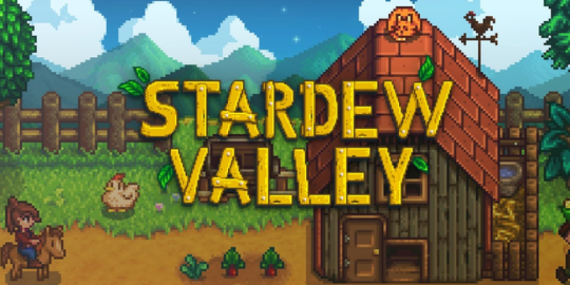
![Stardew Valley's Phenomenal Success: A Look at 30 Million Copies Sold img]() Feb 27, 2024 Benjamin Carter Stardew Valley's Phenomenal Success: A Look at 30 Million Copies Sold Since its launch in 2016, Stardew Valley has become a beacon of success in the indie game market, captivating players worldwide with its simple yet profoundly engaging gameplay. This charming farming simulator allows players to escape into a serene, pastoral world where they can grow their farms, forge community ties, and explore the mysteries of the valley. The game's success is not just a tale of numbers but a testament to the power of passion, creativity, and the enduring appeal of connecting with nature and community, even in a virtual setting.
Eric 'ConcernedApe' Barone, the mastermind behind Stardew Valley, has single-handedly navigated the game from a passion project to a global phenomenon, selling over 30 million copies. This achievement is staggering, especially considering the game's humble beginnings and the solo development journey. The triumph of Stardew Valley showcases Barone's commitment to crafting a game that connects deeply with its audience, providing a sanctuary, a feeling of achievement, and a sense of belonging, all in one package. The game's ongoing evolution, with significant updates and expansions, continues to breathe new life into the Stardew Valley experience, keeping the community engaged and growing.
The announcement of the 1.6 update is the latest milestone in Stardew Valley's illustrious journey. Scheduled to first land on PC on March 19th, with console and mobile versions to follow, this update promises to enrich the Stardew Valley world even further. Highlights include a new major festival, additional mini-festivals, expanded late-game content, numerous items, and crafting recipes. This update not only adds depth to the gameplay but also reinforces Barone's commitment to keeping the game fresh and engaging for both new and veteran players.
What sets Stardew Valley apart is not just its gameplay but the sense of community it fosters. With features like 8-player multiplayer on PC and new social opportunities within the game, players are encouraged to collaborate, share their experiences, and form lasting connections. This communal aspect is a cornerstone of Stardew Valley's appeal, making it more than just a game; it's a shared experience that transcends geographical boundaries and brings people together.
As Stardew Valley continues to grow and evolve, its impact on the gaming industry and its players is undeniable. It stands as a shining example of how indie games can resonate with a global audience, offering meaningful experiences that rival those of blockbuster titles. Stardew Valley's journey from a one-man project to a worldwide sensation is a source of inspiration for aspiring developers and a reminder of the potential for video games to create vibrant, supportive communities. With the 1.6 update on the horizon, Stardew Valley is poised to enchant and engage players for years to come, cementing its legacy as a beloved classic in the...
Feb 27, 2024 Benjamin Carter Stardew Valley's Phenomenal Success: A Look at 30 Million Copies Sold Since its launch in 2016, Stardew Valley has become a beacon of success in the indie game market, captivating players worldwide with its simple yet profoundly engaging gameplay. This charming farming simulator allows players to escape into a serene, pastoral world where they can grow their farms, forge community ties, and explore the mysteries of the valley. The game's success is not just a tale of numbers but a testament to the power of passion, creativity, and the enduring appeal of connecting with nature and community, even in a virtual setting.
Eric 'ConcernedApe' Barone, the mastermind behind Stardew Valley, has single-handedly navigated the game from a passion project to a global phenomenon, selling over 30 million copies. This achievement is staggering, especially considering the game's humble beginnings and the solo development journey. The triumph of Stardew Valley showcases Barone's commitment to crafting a game that connects deeply with its audience, providing a sanctuary, a feeling of achievement, and a sense of belonging, all in one package. The game's ongoing evolution, with significant updates and expansions, continues to breathe new life into the Stardew Valley experience, keeping the community engaged and growing.
The announcement of the 1.6 update is the latest milestone in Stardew Valley's illustrious journey. Scheduled to first land on PC on March 19th, with console and mobile versions to follow, this update promises to enrich the Stardew Valley world even further. Highlights include a new major festival, additional mini-festivals, expanded late-game content, numerous items, and crafting recipes. This update not only adds depth to the gameplay but also reinforces Barone's commitment to keeping the game fresh and engaging for both new and veteran players.
What sets Stardew Valley apart is not just its gameplay but the sense of community it fosters. With features like 8-player multiplayer on PC and new social opportunities within the game, players are encouraged to collaborate, share their experiences, and form lasting connections. This communal aspect is a cornerstone of Stardew Valley's appeal, making it more than just a game; it's a shared experience that transcends geographical boundaries and brings people together.
As Stardew Valley continues to grow and evolve, its impact on the gaming industry and its players is undeniable. It stands as a shining example of how indie games can resonate with a global audience, offering meaningful experiences that rival those of blockbuster titles. Stardew Valley's journey from a one-man project to a worldwide sensation is a source of inspiration for aspiring developers and a reminder of the potential for video games to create vibrant, supportive communities. With the 1.6 update on the horizon, Stardew Valley is poised to enchant and engage players for years to come, cementing its legacy as a beloved classic in the... -
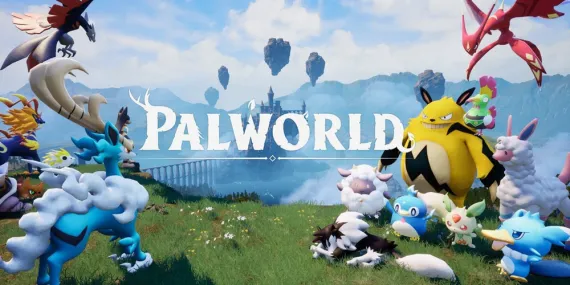
![The Awaited Return: 10 Teased Palworld Features We Hope to See Soon img]() Feb 15, 2024 Benjamin Carter The Awaited Return: 10 Teased Palworld Features We Hope to See Soon In the evolving landscape of gaming, anticipation is as much a part of the experience as playing the game itself. Palworld, with its unique blend of creature collection, survival mechanics, and base building, has already carved a niche for itself in the hearts of gamers. However, with an engine change from Unity to Unreal Engine 5 came the omission of several eagerly awaited features. These teased elements promised to add depth, excitement, and innovation to the game, leaving many to wonder about what could have been. As development progresses, here's a look at 10 missing features that not only have the potential to elevate Palworld to new heights but also have gamers on the edge of their seats in anticipation.
New Pal Trainers/Bosses
The prospect of encountering new Pal trainers and formidable bosses is a tantalizing one. The game's current bosses bring a level of challenge and strategy, but the addition of more complex adversaries could enrich the gameplay significantly. Imagine battling against trainers with unique Pal teams that require you to rethink your strategies or facing bosses with dynamic, evolving tactics. The inclusion of such characters would not only expand the game's lore but also provide players with fresh challenges to overcome.
Improved Farming Mechanics And New Crops
Farming in Palworld is a feature with untapped potential. Early trailers hinted at a more robust farming system, including diverse crops and the ability to cultivate multiple types in a single plot. Enhancing this aspect of the game could lead to a richer, more rewarding agricultural experience. Players could engage in more strategic farming, choosing crops that best suit their needs or experimenting with different combinations to unlock unique benefits.
Fishing In Palworld
The glimpse of a Palworld where fishing is possible opens up numerous gameplay possibilities. Beyond simply adding another food source, fishing could introduce new mechanics, such as specific Pals being better suited for the task or unique cooking recipes that provide substantial buffs. The hinted use of Pals as part of the fishing process also suggests intriguing interactions and strategies for players to explore.
More Weapons/Weapon Addons
The addition of new weapons and weapon addons would significantly enhance combat in Palworld. The teased sniper rifle and scope attachments suggest a move towards more varied combat scenarios, allowing players to tailor their approach to encounters. Whether opting for long-range engagements or preferring close-quarters combat, the ability to customize weapons to suit different playstyles would be a welcome improvement.
Items To Help With Catching Pals
Catching Pals is a core part of the Palworld experience, but the introduction of new items to assist in this endeavor could make it even more engaging. Items such as lassos for immobilizing Pals or cages for transport promise to add layers to the catching...
Feb 15, 2024 Benjamin Carter The Awaited Return: 10 Teased Palworld Features We Hope to See Soon In the evolving landscape of gaming, anticipation is as much a part of the experience as playing the game itself. Palworld, with its unique blend of creature collection, survival mechanics, and base building, has already carved a niche for itself in the hearts of gamers. However, with an engine change from Unity to Unreal Engine 5 came the omission of several eagerly awaited features. These teased elements promised to add depth, excitement, and innovation to the game, leaving many to wonder about what could have been. As development progresses, here's a look at 10 missing features that not only have the potential to elevate Palworld to new heights but also have gamers on the edge of their seats in anticipation.
New Pal Trainers/Bosses
The prospect of encountering new Pal trainers and formidable bosses is a tantalizing one. The game's current bosses bring a level of challenge and strategy, but the addition of more complex adversaries could enrich the gameplay significantly. Imagine battling against trainers with unique Pal teams that require you to rethink your strategies or facing bosses with dynamic, evolving tactics. The inclusion of such characters would not only expand the game's lore but also provide players with fresh challenges to overcome.
Improved Farming Mechanics And New Crops
Farming in Palworld is a feature with untapped potential. Early trailers hinted at a more robust farming system, including diverse crops and the ability to cultivate multiple types in a single plot. Enhancing this aspect of the game could lead to a richer, more rewarding agricultural experience. Players could engage in more strategic farming, choosing crops that best suit their needs or experimenting with different combinations to unlock unique benefits.
Fishing In Palworld
The glimpse of a Palworld where fishing is possible opens up numerous gameplay possibilities. Beyond simply adding another food source, fishing could introduce new mechanics, such as specific Pals being better suited for the task or unique cooking recipes that provide substantial buffs. The hinted use of Pals as part of the fishing process also suggests intriguing interactions and strategies for players to explore.
More Weapons/Weapon Addons
The addition of new weapons and weapon addons would significantly enhance combat in Palworld. The teased sniper rifle and scope attachments suggest a move towards more varied combat scenarios, allowing players to tailor their approach to encounters. Whether opting for long-range engagements or preferring close-quarters combat, the ability to customize weapons to suit different playstyles would be a welcome improvement.
Items To Help With Catching Pals
Catching Pals is a core part of the Palworld experience, but the introduction of new items to assist in this endeavor could make it even more engaging. Items such as lassos for immobilizing Pals or cages for transport promise to add layers to the catching...