Blog
![Unlocking Your Marvel Snap: A Step-by-Step Guide to Accessing Your Season Recap img]() Oct 12, 2023 Benjamin Carter Unlocking Your Marvel Snap: A Step-by-Step Guide to Accessing Your Season Recap Marvel Snap is a popular game that offers a wealth of statistics and information about your gameplay. One such feature is the Season Recap, which gives a comprehensive summary of your performance in the past season. Not sure how to access it? Don't worry! Here's a detailed guide to help you unlock your Season Recap and enable you to analyze your game's progress.
Step 1: Visit the Marvel Snap Official Website
The first step to access your Season Recap is to visit the official Marvel Snap website. This is where you'll find the Battle Recap page, which houses all the information you need about your past season's performance.
Step 2: Log into Your Account
Once you're on the Battle Recap page, you'll need to log into your account. This ensures that the stats you're seeing are specifically tailored to your gameplay. To do this, simply enter your account credentials in the provided fields.
Step 3: Access Your Battle Stats
After logging into your account, you'll be presented with a list of match stats from the previous season. This will include things like the Most Played Card, the Mascot Card, the Most Effective Card, the Lucky Location, and the Most Visited Location. Each of these stats offers a unique insight into your performance and can help you strategize for the upcoming season.
Step 4: Check Your Inbox for the "Monthly Stats Recap!" Message
An alternative way to access your Season Recap is through the in-game inbox. Look for a message titled "Monthly Stats Recap!" This message contains a link that will take you straight to your Battle Recap page on the official website.
Step 5: Share Your Season Recap on Social Media
As an added bonus, if you share your Battle Recap Stats on social media, you can earn up to 100 Credits. After posting your stats and restarting the game, these credits will be automatically added to your account. It's a great way to show off your achievements and earn some extra rewards at the same time!
Remember, the Season Recap for each season becomes available after the season ends, usually on the first Monday of the following month. So, keep... Read More
Oct 12, 2023 Benjamin Carter Unlocking Your Marvel Snap: A Step-by-Step Guide to Accessing Your Season Recap Marvel Snap is a popular game that offers a wealth of statistics and information about your gameplay. One such feature is the Season Recap, which gives a comprehensive summary of your performance in the past season. Not sure how to access it? Don't worry! Here's a detailed guide to help you unlock your Season Recap and enable you to analyze your game's progress.
Step 1: Visit the Marvel Snap Official Website
The first step to access your Season Recap is to visit the official Marvel Snap website. This is where you'll find the Battle Recap page, which houses all the information you need about your past season's performance.
Step 2: Log into Your Account
Once you're on the Battle Recap page, you'll need to log into your account. This ensures that the stats you're seeing are specifically tailored to your gameplay. To do this, simply enter your account credentials in the provided fields.
Step 3: Access Your Battle Stats
After logging into your account, you'll be presented with a list of match stats from the previous season. This will include things like the Most Played Card, the Mascot Card, the Most Effective Card, the Lucky Location, and the Most Visited Location. Each of these stats offers a unique insight into your performance and can help you strategize for the upcoming season.
Step 4: Check Your Inbox for the "Monthly Stats Recap!" Message
An alternative way to access your Season Recap is through the in-game inbox. Look for a message titled "Monthly Stats Recap!" This message contains a link that will take you straight to your Battle Recap page on the official website.
Step 5: Share Your Season Recap on Social Media
As an added bonus, if you share your Battle Recap Stats on social media, you can earn up to 100 Credits. After posting your stats and restarting the game, these credits will be automatically added to your account. It's a great way to show off your achievements and earn some extra rewards at the same time!
Remember, the Season Recap for each season becomes available after the season ends, usually on the first Monday of the following month. So, keep... Read More ![Securing Your Web Secrets: Google Chrome's Exciting New Feature for Keeping Recent Browsing History Hidden img]() Oct 11, 2023 Alison Harvard Securing Your Web Secrets: Google Chrome's Exciting New Feature for Keeping Recent Browsing History Hidden Ever worried about someone snooping through your recent browsing history? We've all been there. Whether you're searching for a surprise gift on a shared device or simply want to maintain your privacy, Google Chrome is testing a tool that could be the answer to your problems. This new feature, currently in the Canary build of the desktop version Chrome 120, allows users to delete the last 15 minutes of their browsing history.
For years, privacy-conscious Internet users had to resort to the 'nuclear option' of wiping out their entire browsing history to keep their online activities secret. Google, recognizing this issue, has introduced more nuanced controls over time. And now, this feature brings an even more targeted approach to maintaining privacy. It's a godsend for those moments when you need to quickly erase traces of your immediate online activity.
This experimental feature was initially introduced in the Android version of Google's web browser and has now been extended to desktop users. To access this option, users need to navigate to chrome://flags, look for the 'Clear Browsing Data Timeframe Experiment on Desktop' flag, and set it to 'Enabled'. This allows users to clear any traces of their online activities from the last quarter of an hour with just a few clicks.
While it might not seem like a significant time frame, the ability to delete the last 15 minutes of browsing history can come in handy in numerous situations. It could be a lifesaver when you're shopping for a surprise present on a shared computer, or when you're indulging in a short online activity that you'd rather keep private. This small, yet powerful feature adds an extra layer of privacy at a moment's notice.
In conclusion, Google's decision to test this feature is a testament to their commitment to user privacy. It reinforces the idea that we should all have control over our own digital footprints. While this feature is still in its testing phase, it is a promising sign of more user-friendly privacy options to come. So, keep an eye out for this game-changing feature and embrace the control it gives you over your... Read More
Oct 11, 2023 Alison Harvard Securing Your Web Secrets: Google Chrome's Exciting New Feature for Keeping Recent Browsing History Hidden Ever worried about someone snooping through your recent browsing history? We've all been there. Whether you're searching for a surprise gift on a shared device or simply want to maintain your privacy, Google Chrome is testing a tool that could be the answer to your problems. This new feature, currently in the Canary build of the desktop version Chrome 120, allows users to delete the last 15 minutes of their browsing history.
For years, privacy-conscious Internet users had to resort to the 'nuclear option' of wiping out their entire browsing history to keep their online activities secret. Google, recognizing this issue, has introduced more nuanced controls over time. And now, this feature brings an even more targeted approach to maintaining privacy. It's a godsend for those moments when you need to quickly erase traces of your immediate online activity.
This experimental feature was initially introduced in the Android version of Google's web browser and has now been extended to desktop users. To access this option, users need to navigate to chrome://flags, look for the 'Clear Browsing Data Timeframe Experiment on Desktop' flag, and set it to 'Enabled'. This allows users to clear any traces of their online activities from the last quarter of an hour with just a few clicks.
While it might not seem like a significant time frame, the ability to delete the last 15 minutes of browsing history can come in handy in numerous situations. It could be a lifesaver when you're shopping for a surprise present on a shared computer, or when you're indulging in a short online activity that you'd rather keep private. This small, yet powerful feature adds an extra layer of privacy at a moment's notice.
In conclusion, Google's decision to test this feature is a testament to their commitment to user privacy. It reinforces the idea that we should all have control over our own digital footprints. While this feature is still in its testing phase, it is a promising sign of more user-friendly privacy options to come. So, keep an eye out for this game-changing feature and embrace the control it gives you over your... Read More -
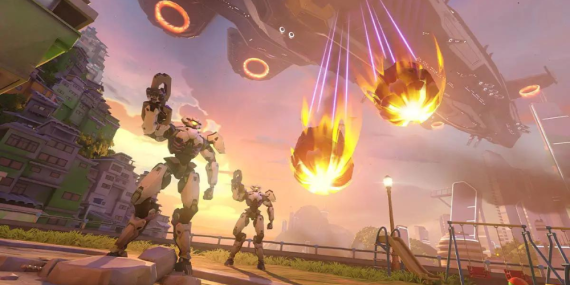
![Professional Gamer Finds 'Overwatch 2' Extremely Challenging Due to Its img]() Sep 29, 2023 Benjamin Carter Professional Gamer Finds 'Overwatch 2' Extremely Challenging Due to Its Have you ever been so engrossed in a game that you get a nosebleed from a popped blood vessel? No? Neither have I. However, I am not subjected to the intense pressure and stress of competing in the most high-profile platforms in the esports world, like Hangzhou Spark's Zheng "shy" Yangjie - currently embarking on the Overwatch League Playoffs.
In the aftermath of a fervently contested match against the Atlanta Reign, where the Spark reversed their fortune after losing the opening two maps in a series of five, Shy was viewed rejoicing with his team, albeit with a bloodied nose. It's truly astounding to see such level of dedication and determination to the craft. The Spark has successfully marked the first match in the books, now bracing to confront the Boston Uprising later today.
Sep 29, 2023 Benjamin Carter Professional Gamer Finds 'Overwatch 2' Extremely Challenging Due to Its Have you ever been so engrossed in a game that you get a nosebleed from a popped blood vessel? No? Neither have I. However, I am not subjected to the intense pressure and stress of competing in the most high-profile platforms in the esports world, like Hangzhou Spark's Zheng "shy" Yangjie - currently embarking on the Overwatch League Playoffs.
In the aftermath of a fervently contested match against the Atlanta Reign, where the Spark reversed their fortune after losing the opening two maps in a series of five, Shy was viewed rejoicing with his team, albeit with a bloodied nose. It's truly astounding to see such level of dedication and determination to the craft. The Spark has successfully marked the first match in the books, now bracing to confront the Boston Uprising later today. -
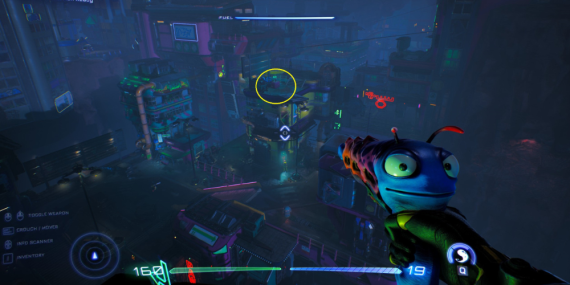
![Unleashing the Thrill: Top-5 "High on Life" Alternative Games to Engage Your Senses img]() Sep 28, 2023 Alison Harvard Unleashing the Thrill: Top-5 "High on Life" Alternative Games to Engage Your Senses The boundless world of gaming unfolds endless surprises and endless ventures full of thrill and delights! If you're an adrenaline junkie, always on the prowl for non-conventional, high-energy, 'high on life' games, this article is tailored perfectly for you. Slated below are the top 5 games that embody excitement, novelty, and a compelling storyline, all set to render a beautiful, adrenaline-infused gaming experience.
1. Far Cry 5
If the phrase 'high-on-life' could be personified as a video game, 'Far Cry 5' would be the ideal choice. This action-adventure first-person shooter game developed by Ubisoft is soaked in adrenaline, grit, and thrill, bringing an addictive blend of chaos, exploration, and peak excitement.
Gameplay and Setting
Amid the beautiful, serene yet hazardous environment of Hope County, Montana, you are the last line of defense in a community being torn apart by a cult. You, as the sheriff's deputy, must fight against cult leaders and their followers, using all your skills, tactics, weapons, and vehicles at your disposal. The open-world setting allows you to make your own story by choosing your path and creating a unique gaming experience.
Story
The game's narrative focuses on a doomsday cult known as Eden’s Gate, led by the mesmerizing yet ominous Joseph Seed. Your mission is to resist the cult, liberate the community, and reimpose order in a land overtaken by chaos and violence.
2. Mirror's Edge Catalyst
'Mirror's Edge Catalyst' by Electronic Arts Inc. is a unique first-person action-adventure game, delivering a breathtakingly beautiful high-velocity thrill that truly makes you feel alive.
Gameplay and Setting
The game offers a free-running experience, where you take on the role of Faith, a fleet-footed courier who uses her agility and combat to navigate city rooftops. The game unfolds in a futuristic cityscape where you’ll be catapulted between towering skyscrapers, sliding down glass facades, and hurdling architectural obstacles.
Story
In a city where information is heavily monitored, Faith finds herself embroiled in a conspiracy and is determined to unravel the truth tucked in the city's shiny facade.
3. Red Dead Redemption 2
Embracing a vibrant yet deadly wild west spirit, 'Red Dead Redemption 2' by Rockstar Games is a spectacular offering that will make any gaming enthusiast feel high on life.
Gameplay and Setting
This open-world Western-themed action-adventure game allows players to navigate through an incredibly crafted realistic and interactive environment on horseback and foot. You will hunt, gather resources, commit bank heists, and interact with non-player characters, transforming the game into a captivating living world.
Story
As outlaw Arthur Morgan, a member of the Dutch Van der Linde gang, your journey through the vast American heartland will include battling lawmen, bounty hunters, gang rivals, and the harsh terrain itself to survive.
4. The Legend of Zelda: Breath of the Wild
An extraordinary adventure game that rejuvenates your spirit, 'The Legend...
Sep 28, 2023 Alison Harvard Unleashing the Thrill: Top-5 "High on Life" Alternative Games to Engage Your Senses The boundless world of gaming unfolds endless surprises and endless ventures full of thrill and delights! If you're an adrenaline junkie, always on the prowl for non-conventional, high-energy, 'high on life' games, this article is tailored perfectly for you. Slated below are the top 5 games that embody excitement, novelty, and a compelling storyline, all set to render a beautiful, adrenaline-infused gaming experience.
1. Far Cry 5
If the phrase 'high-on-life' could be personified as a video game, 'Far Cry 5' would be the ideal choice. This action-adventure first-person shooter game developed by Ubisoft is soaked in adrenaline, grit, and thrill, bringing an addictive blend of chaos, exploration, and peak excitement.
Gameplay and Setting
Amid the beautiful, serene yet hazardous environment of Hope County, Montana, you are the last line of defense in a community being torn apart by a cult. You, as the sheriff's deputy, must fight against cult leaders and their followers, using all your skills, tactics, weapons, and vehicles at your disposal. The open-world setting allows you to make your own story by choosing your path and creating a unique gaming experience.
Story
The game's narrative focuses on a doomsday cult known as Eden’s Gate, led by the mesmerizing yet ominous Joseph Seed. Your mission is to resist the cult, liberate the community, and reimpose order in a land overtaken by chaos and violence.
2. Mirror's Edge Catalyst
'Mirror's Edge Catalyst' by Electronic Arts Inc. is a unique first-person action-adventure game, delivering a breathtakingly beautiful high-velocity thrill that truly makes you feel alive.
Gameplay and Setting
The game offers a free-running experience, where you take on the role of Faith, a fleet-footed courier who uses her agility and combat to navigate city rooftops. The game unfolds in a futuristic cityscape where you’ll be catapulted between towering skyscrapers, sliding down glass facades, and hurdling architectural obstacles.
Story
In a city where information is heavily monitored, Faith finds herself embroiled in a conspiracy and is determined to unravel the truth tucked in the city's shiny facade.
3. Red Dead Redemption 2
Embracing a vibrant yet deadly wild west spirit, 'Red Dead Redemption 2' by Rockstar Games is a spectacular offering that will make any gaming enthusiast feel high on life.
Gameplay and Setting
This open-world Western-themed action-adventure game allows players to navigate through an incredibly crafted realistic and interactive environment on horseback and foot. You will hunt, gather resources, commit bank heists, and interact with non-player characters, transforming the game into a captivating living world.
Story
As outlaw Arthur Morgan, a member of the Dutch Van der Linde gang, your journey through the vast American heartland will include battling lawmen, bounty hunters, gang rivals, and the harsh terrain itself to survive.
4. The Legend of Zelda: Breath of the Wild
An extraordinary adventure game that rejuvenates your spirit, 'The Legend... -
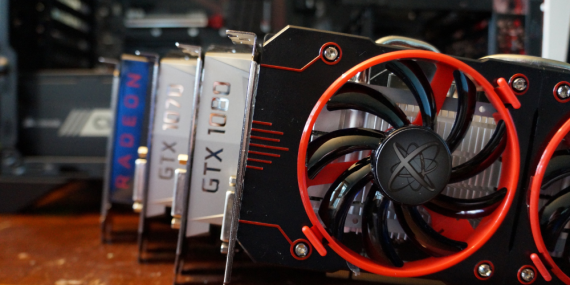
![Turn Your Used Graphics Cards into Cash with Newegg's Latest Program img]() Sep 27, 2023 Alison Harvard Turn Your Used Graphics Cards into Cash with Newegg's Latest Program Newegg is launching a trade-in program that enables you to receive cash for your old GPU, potentially appealing to those apprehensive about selling used items online. This system assigns a value to your old GPU. Yet it's worth noting that this policy might reduce the value of your item.
For instance, Newegg quotes a used Nvidia RTX 3090 Ti as $561, despite listing a refurbished model of the same GPU at $829. To be eligible for a trade-in, your GPU must meet certain criteria. This system may be of interest if you're open to a significant drop in your old card's value. It's noteworthy that Newegg is a US company, so European customers seeking a trade-in may need to look elsewhere.
Sep 27, 2023 Alison Harvard Turn Your Used Graphics Cards into Cash with Newegg's Latest Program Newegg is launching a trade-in program that enables you to receive cash for your old GPU, potentially appealing to those apprehensive about selling used items online. This system assigns a value to your old GPU. Yet it's worth noting that this policy might reduce the value of your item.
For instance, Newegg quotes a used Nvidia RTX 3090 Ti as $561, despite listing a refurbished model of the same GPU at $829. To be eligible for a trade-in, your GPU must meet certain criteria. This system may be of interest if you're open to a significant drop in your old card's value. It's noteworthy that Newegg is a US company, so European customers seeking a trade-in may need to look elsewhere. -
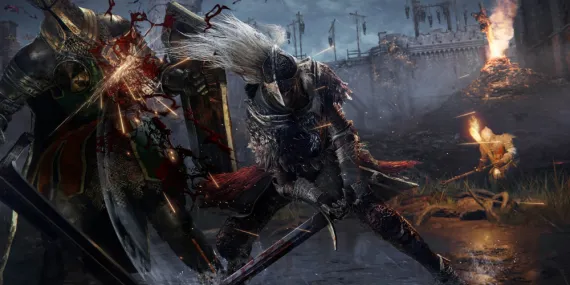
![Immersive Artistry Meets Elden Ring: Fan Creates Stunning Replica of Walking Mausoleum img]() Sep 19, 2023 Benjamin Carter Immersive Artistry Meets Elden Ring: Fan Creates Stunning Replica of Walking Mausoleum Art meets gaming in a striking spectacle as a passionate fan of Elden Ring dives deep into the creative world, painstakingly crafting an unbelievably detailed replica of the Walking Mausoleum — a notable entity in the game. He enthusiastically showcased the fruits of his five-month labor on Reddit, surprising fellow users and gathering well-deserved admiration.
"Narrating a Journey to Haunting Visual Inputs: The Walking Mausoleum Model": The Elden Ring fan, identified as DogIsDead777, used pink insulation board, cardboard, and a Vietnamese plastic take-out bowl to mold this unique Walking Mausoleum replica. A compelling recreation of the in-game version, the magnified snapshots accentuate the meticulous detailing infused in the model. This is a testament to the gamer's dedication and creative acuity.
"To Praise and Laud: The Gaming Community's Reaction": The Elden Ring community was quick to heap praises on this remarkable creation. Enthusiasts marveled at its exceptional resemblance to the in-game counterpart, even mimicking the eerie noises that the Walking Mausoleum produces within the game. Some admirers expressed their eagerness to purchase the replica, demonstrating the level of awe it inspired.
"The Challenges and Modest Musings of the Creator": DogIsDead777 expressed a touch of uncertainty regarding putting a monetary value on their art form, eclipsing the effort and time invested in its creation. They also shared their struggle in incorporating the white skulls — significant features on the Walking Mausoleum, which players break to unlock a unique feature in Elden Ring — into the model due to size constraints.
"Tracing Artistry in Gaming: A Unanimous Conclusion": Elden Ring, since its 2022 release, has generated a vast array of fan-made artworks depicting the game's gripping bosses and intricate landscapes. In this latest endeavor then, a fan has amplified their appreciation of the game remarkably, using their creative talents and a sharp eye for detail. Indeed, DogIsDead777's Walking Mausoleum replica beautifully displays the intricate blending of art and gaming, embodying immersive influences that stretch far beyond the confines of the Elden Ring universe.
Sep 19, 2023 Benjamin Carter Immersive Artistry Meets Elden Ring: Fan Creates Stunning Replica of Walking Mausoleum Art meets gaming in a striking spectacle as a passionate fan of Elden Ring dives deep into the creative world, painstakingly crafting an unbelievably detailed replica of the Walking Mausoleum — a notable entity in the game. He enthusiastically showcased the fruits of his five-month labor on Reddit, surprising fellow users and gathering well-deserved admiration.
"Narrating a Journey to Haunting Visual Inputs: The Walking Mausoleum Model": The Elden Ring fan, identified as DogIsDead777, used pink insulation board, cardboard, and a Vietnamese plastic take-out bowl to mold this unique Walking Mausoleum replica. A compelling recreation of the in-game version, the magnified snapshots accentuate the meticulous detailing infused in the model. This is a testament to the gamer's dedication and creative acuity.
"To Praise and Laud: The Gaming Community's Reaction": The Elden Ring community was quick to heap praises on this remarkable creation. Enthusiasts marveled at its exceptional resemblance to the in-game counterpart, even mimicking the eerie noises that the Walking Mausoleum produces within the game. Some admirers expressed their eagerness to purchase the replica, demonstrating the level of awe it inspired.
"The Challenges and Modest Musings of the Creator": DogIsDead777 expressed a touch of uncertainty regarding putting a monetary value on their art form, eclipsing the effort and time invested in its creation. They also shared their struggle in incorporating the white skulls — significant features on the Walking Mausoleum, which players break to unlock a unique feature in Elden Ring — into the model due to size constraints.
"Tracing Artistry in Gaming: A Unanimous Conclusion": Elden Ring, since its 2022 release, has generated a vast array of fan-made artworks depicting the game's gripping bosses and intricate landscapes. In this latest endeavor then, a fan has amplified their appreciation of the game remarkably, using their creative talents and a sharp eye for detail. Indeed, DogIsDead777's Walking Mausoleum replica beautifully displays the intricate blending of art and gaming, embodying immersive influences that stretch far beyond the confines of the Elden Ring universe.